You’ve launched your website, but it’s nowhere to be found on Google. That’s because before your site can show up in search results, Google needs to “index” it.
In simple terms, indexing means Google has discovered your pages, understood them, and added them to its database.
If your site isn’t indexed, it won’t get traffic from search. It’s that simple. No indexing means no visibility, no clicks, and no growth.
The tricky part? Indexing doesn’t happen instantly. It can take a few days, a few weeks, or sometimes longer, depending on your setup.
The good news is you’re not stuck waiting because you can take steps to speed things up and stay in control of the process.
For a full breakdown, check out this detailed article on how Google crawling, indexing, and ranking actually work together.
What Does “Indexing” Actually Mean?
Indexing is the step where Google decides your page is worth storing and showing in search results, but before that happens, it first needs to crawl your site.
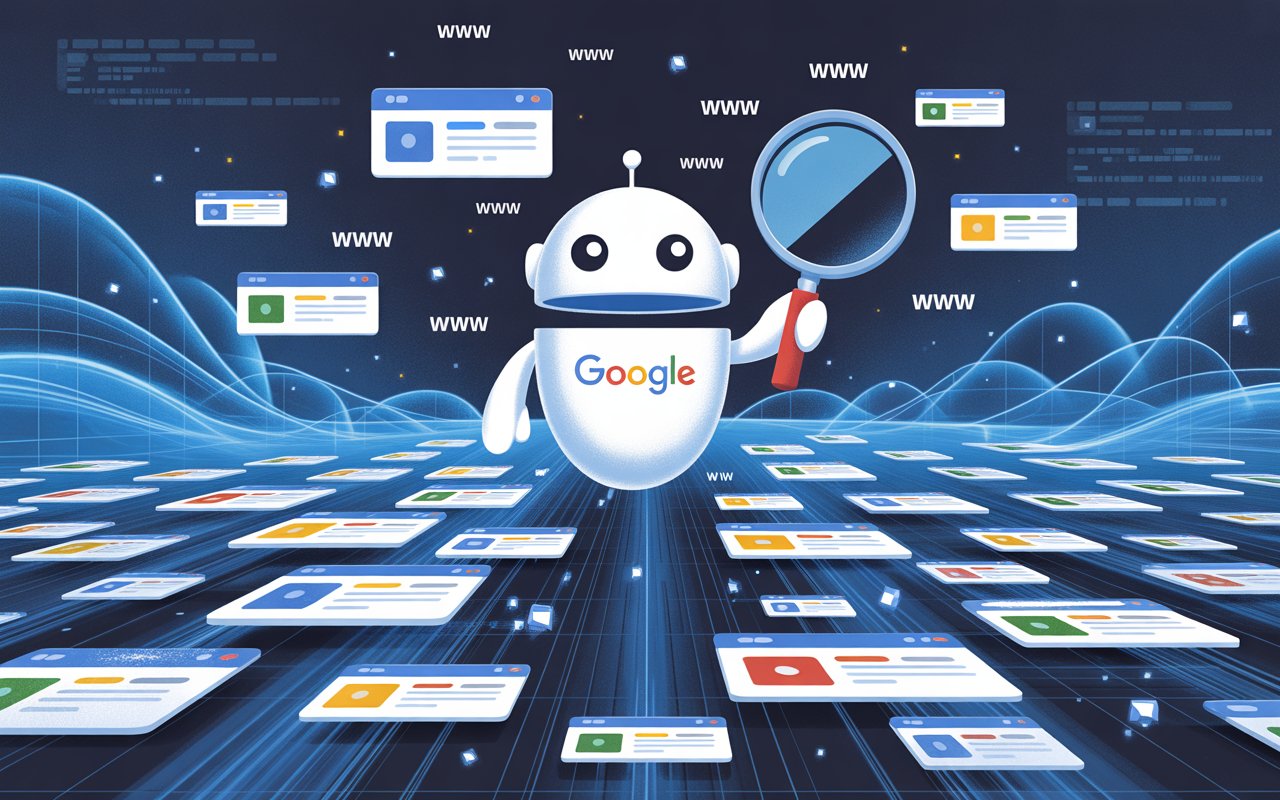
Crawling is when Google’s bots scan the internet to find new or updated pages, usually by following links from other websites, sitemaps, or previously known pages.
Indexing happens after that. This is when Google tries to understand what your page is about and adds it to its database so it can appear in search results.
Think of it like this: crawling is discovering your page, while indexing is saving it and making it eligible to rank.
Google stores information about your content, such as keywords, structure, and overall usefulness, so it can match your page to relevant searches.
However, just because your site is crawled doesn’t mean it will be indexed.
Google may skip indexing if your content is thin, duplicated, unclear, or doesn’t provide enough value compared to other pages.
Technical issues like noindex tags, blocked pages, or poor internal linking can also prevent indexing.
This is why understanding the difference matters because if your page is crawled but not indexed, the issue isn’t visibility, it’s quality or usability, and that’s something you can fix.
How Long Does It Take Google to Index a New Site?
Typical timeframe: a few days to several weeks
There’s no fixed timeline for indexing, but most new websites get indexed anywhere from a few days to a few weeks after launch.
In some cases, it can happen within 24–48 hours, especially if your site is submitted through Google Search Console and has a clear structure.
Other times, it can take longer if Google struggles to discover your pages or doesn’t see enough value yet.
The key thing to understand is that indexing speed depends on signals, like how easy your site is to find, how well it’s structured, and how useful the content appears.
Google is constantly prioritizing what to crawl and store, so newer sites often sit lower on that priority list at first.
Realistic expectations for brand-new domains
If your domain is completely new with no backlinks or history, expect a slower start. Google has no prior trust signals to rely on, so it takes more time to evaluate your site.
Even if your content is good, Google still needs to discover it, crawl it, and decide it’s worth indexing.
This means you might see only a few pages indexed in the first couple of weeks, with more pages gradually added over time. This is normal.
What matters is consistency—publishing useful content, fixing technical issues, and making your site easy to navigate all help build trust and speed up the process.
Difference between indexing a homepage vs deeper pages
Your homepage is almost always indexed first because it’s the main entry point of your site and usually the most linked page. It’s easier for Google to find and understand.
Deeper pages, like blog posts or service pages, can take longer because Google typically discovers them through internal links or sitemaps.
If your internal linking is weak or your sitemap isn’t submitted, those pages may stay unnoticed for longer.
This is why strong internal linking matters because it helps guide Google from your homepage to the rest of your site, making it easier and faster for all your pages to get indexed.
Key Factors That Affect Indexing Speed
Website Authority (Domain Age & Trust)
New websites start with no history, no trust, and no signals that tell Google they are worth prioritizing, so indexing naturally takes longer.
Older domains, on the other hand, are crawled more often because Google already trusts them and expects new content. Backlinks play a big role here.
If no other websites link to yours, Google has fewer paths to discover your pages, which slows everything down.
Even a few quality links can make a noticeable difference because they act as signals that your site exists and is worth checking.
Website Structure & Technical Setup
A clean structure helps Google move through your site without confusion. When pages are logically organized and easy to reach, Google can crawl and index them faster.
Internal linking is key here. If your pages are connected properly, Google can follow those links and discover more content in a single visit.
An XML sitemap adds another layer of clarity by giving Google a direct list of your important pages.
Without these basics in place, Google may miss pages or delay indexing simply because your site is harder to navigate.
Content Quality
Google doesn’t index every page it finds. It prioritizes content that is clear, useful, and original.
If your pages are thin, duplicated, or offer little value, they may be crawled but skipped during indexing.
This is a common issue with new sites trying to publish quickly without focusing on quality.
Strong content makes Google more confident in storing your pages because it sees them as helpful for users.
The more useful your content is, the higher the chances it gets indexed quickly.
Crawl Budget
Crawl budget refers to how often and how many pages Google chooses to crawl on your site. For large websites, this can limit how quickly new pages are discovered and indexed.
For small or new sites, this is rarely a problem because Google can easily crawl all available pages. The real issue is not budget, but priority.
If your site doesn’t send strong signals like good structure, content, and links, Google simply won’t prioritize crawling it frequently.
Backlinks & External Signals
Backlinks are one of the fastest ways to speed up indexing because they help Google discover your site from other trusted sources.
When another website links to you, Google can follow that link and find your pages sooner.
These links also act as signals of credibility, which can increase how often your site gets crawled.
Early backlinks are especially important for new sites because they help you get out of the “invisible” stage and into Google’s awareness much faster.
How to Get Your Site Indexed Faster
Submit Your Site to Google Search Console
Start by setting up Google Search Console and adding your website as a property.
You’ll need to verify ownership, which usually involves adding a small piece of code, uploading a file, or confirming through your domain provider.
Once verified, submit your XML sitemap. This gives Google a clear list of your important pages and removes guesswork.
It doesn’t guarantee instant indexing, but it helps Google find your content faster and understand your site structure from the start.
Request Indexing Manually
Inside Google Search Console, you can use the URL Inspection tool to request indexing for specific pages.
This is useful for new pages or updates you want Google to notice quickly. Paste your URL, check if it’s indexed, and click “Request Indexing” if it’s not.
Use this feature with purpose, not repeatedly. Submitting the same page multiple times in a short period doesn’t speed things up and can be ignored.
Focus on key pages like your homepage and important content first.
Create and Submit a Sitemap
A sitemap acts like a roadmap for your website. It tells Google where your pages are and which ones matter most.
Without it, Google relies only on links to discover content, which can slow things down.
Make sure your sitemap is clean, includes only important pages, and is updated when you add new content.
Then submit it through Google Search Console. This simple step removes friction and helps Google crawl your site more efficiently.
Build Initial Backlinks
Backlinks help Google find your site from outside sources. Start with simple wins.
Create social media profiles and link back to your website. Add your site to relevant directory listings.
Reach out to a few websites in your niche and share your content if it’s genuinely useful.
You don’t need hundreds of links, but just a few real ones can help Google discover your site faster and start crawling it more often.
Publish High-Quality Content Consistently
Consistency signals that your site is active and worth revisiting. When you publish new, useful content regularly, Google has a reason to come back and check for updates.
This increases crawl frequency and improves indexing speed over time. Focus on creating content that solves real problems or answers clear questions.
A few strong pages will always outperform many weak ones. Quality builds trust, and trust leads to faster and more reliable indexing.
Signs Your Site Has Been Indexed
How to use “site:yourdomain.com” search
The quickest way to check if your site is indexed is to search site:yourdomain.com on Google Search. This command shows the pages Google has stored in its index.
If your pages appear, they are indexed. If nothing shows up, your site hasn’t been indexed yet, or Google hasn’t processed it fully.
You can also search specific URLs using this method to check individual pages. It’s a simple check, but it gives you a clear yes-or-no answer within seconds.
Checking in Google Search Console
For a more accurate view, use Google Search Console. The Indexing section shows which pages are indexed and which are not, along with reasons why.
You can inspect any URL to see its exact status. This removes guesswork because you’re seeing data directly from Google.
If a page isn’t indexed, Search Console often tells you why, which makes it easier to fix the issue instead of guessing.
What impressions and clicks mean
Once your pages are indexed, you’ll start seeing impressions and clicks in Search Console. Impressions mean your page is appearing in search results, even if no one clicks it yet.
This is the first real sign that your site is gaining visibility. Clicks come next, showing that users are actually visiting your site from search.
If you see impressions but no clicks, your page is indexed but may need better titles or content to attract attention.
If you see neither, your page is likely not indexed or not being shown yet.
Why Your Site Is Not Getting Indexed
Noindex tags
A noindex tag tells Google not to store a page in its index. If this tag is present in your page’s code, Google will crawl the page but deliberately keep it out of search results.
This often happens by accident, especially on new sites or during development. One incorrect setting can block your entire site from being indexed.
Always check that important pages do not have a noindex tag before assuming there’s a bigger problem.
Poor content quality
If your content doesn’t offer clear value, Google may choose not to index it. Pages that are too short, unclear, or copied from other sources often get skipped.
Google is trying to avoid filling its index with low-value content, so it filters aggressively.
This means even if your page is technically fine, it still needs to be useful and easy to understand.
Improving clarity, depth, and relevance can often solve indexing issues faster than any technical fix.
Duplicate pages
When multiple pages have very similar or identical content, Google may only index one version and ignore the rest.
This is common with copied content, slight variations of the same page, or poorly managed URLs.
Google tries to avoid showing duplicate results, so it picks what it sees as the best version.
If your site has too many duplicates, it can confuse Google and slow down indexing overall. Clear, unique content on each page removes this problem.
Lack of internal links
If a page isn’t linked from anywhere else on your site, it becomes hard for Google to find. These are often called “orphan pages.”
Even if the page exists, Google may not discover it quickly or at all. Internal links act as pathways that guide Google through your content.
Without them, important pages can remain invisible. Linking your pages together clearly and logically helps Google discover and index them faster.
Technical issues (robots.txt blocking)
Your robots.txt file controls what Google is allowed to crawl. If important pages are blocked here, Google won’t access them, which means they won’t be indexed.
This can happen due to simple misconfigurations, especially on new sites. Even one incorrect rule can stop entire sections of your site from being seen.
Checking your robots.txt file ensures you’re not unintentionally blocking Google from accessing the content you want indexed.
How to Fix Indexing Issues
If your pages aren’t getting indexed, the goal is simple: find the block, fix it, and give Google a clear reason to try again.
Follow this checklist in order so you don’t miss anything.
Step-by-step troubleshooting checklist
- Check if the page is indexed
Searchsite:yourdomain.com/page-urlon Google Search. If it doesn’t appear, move to the next step. - Inspect the page in Google Search Console
Use Google Search Console → URL Inspection. This shows whether the page is crawled, indexed, or blocked, along with the reason. - Look for noindex tags
Check your page settings or source code. If “noindex” is present, remove it for pages you want indexed. - Check robots.txt
Make sure your robots.txt file is not blocking the page or section of your site. If it is, update the rule. - Review content quality
Ask one question: Does this page clearly help someone? If the answer is no, improve it. Add useful information, make it easier to read, and remove anything unnecessary. - Fix duplicate content
If similar pages exist, either combine them into one stronger page or make each page clearly unique. - Add internal links
Link to the page from your homepage or other relevant pages. This helps Google discover it faster. - Submit or resubmit the page
Go back to Google Search Console and request indexing after making fixes.
Technical fixes vs content improvements
Some problems are technical, and others are about quality. Technical issues stop Google from accessing your page at all.
These include noindex tags, blocked pages, or broken structure. Fixing these usually leads to quick results because you’re removing a clear barrier.
Content issues are different. Google can see the page, but chooses not to index it. This means the page isn’t strong enough yet.
Improving content takes more effort, but it has a bigger long-term impact. In many cases, content quality is the real reason behind slow indexing.
When to wait vs take action
If your site is brand new, some delay is normal. Google needs time to discover and evaluate it.
In this case, focus on publishing content and building links rather than constantly resubmitting pages.
If a page hasn’t been indexed after 1–2 weeks and you’ve already submitted it, take action.
Check for issues, improve the page, and request indexing again. If everything is set up correctly and your content is solid, indexing will usually follow.
Indexing vs Ranking: What’s the Difference?
Being indexed doesn’t mean ranking
Indexing simply means your page is stored in Google’s database and is eligible to appear in search results.
Ranking is where your page actually shows up when someone searches for something. A page can be indexed but still sit so low in the results that no one ever sees it.
This is a common point of confusion. Getting indexed is just the first step; it does not guarantee traffic.
Why ranking takes longer
Ranking takes more time because Google needs to evaluate your page against many others targeting the same topic.
It looks at content quality, relevance, backlinks, user experience, and overall trust. New websites usually start at a disadvantage because they have no history or authority.
Even strong content may take weeks or months to move up in rankings as Google gathers more signals.
This process is gradual, and small improvements over time lead to better positioning.
Importance of SEO beyond indexing
Once your pages are indexed, the focus shifts to SEO. This includes improving your content, targeting the right keywords, building backlinks, and making your site easy to use.
Indexing gets you into the system, but SEO determines how visible you become. If you stop at indexing, growth will stall.
If you continue optimizing, your pages have a much better chance of climbing rankings and bringing in consistent traffic.
Realistic Timeline for New Websites
Week 1: Discovery
In the first few days after launching your site, Google may begin to discover it.
This usually happens through your sitemap submission, manual indexing requests, or backlinks, if you have any.
At this stage, Google is just becoming aware that your site exists.
You might see your homepage indexed quickly, but most pages will still be untouched. This is normal. The goal here is simple: make your site easy to find.
Weeks 2–4: Initial indexing
During this period, Google starts crawling more of your pages and deciding what to index. You may notice a few pages appearing in search results, especially your main pages.
Not everything will be indexed yet, and that’s expected. Google is still evaluating your content and site structure.
If your setup is solid and your content is useful, indexing will gradually increase.
Months 1–3: More pages indexed
By now, Google has a better understanding of your site. More pages begin to get indexed, and you may start seeing impressions in search results.
This is where consistency pays off. If you’ve been adding content, improving quality, and building a few backlinks, Google will crawl your site more often.
Growth becomes more noticeable, but it’s still steady rather than instant.
Ongoing: Growth with content and backlinks
After the initial phase, indexing becomes more predictable. New pages get picked up faster, especially if your site is active and well-structured.
Backlinks, internal linking, and consistent publishing all help maintain this momentum.
Over time, Google trusts your site more, which leads to quicker indexing and better visibility. This is where long-term growth happens.
Final Thoughts
Indexing takes time, especially for new websites, but it’s not out of your control.
When your site is clear, well-structured, and filled with useful content, Google has a much easier job understanding and storing your pages.
Focus on doing the basics right. Set up your site properly, create content that helps people, and make it easy for Google to find and crawl your pages.
Keep showing up consistently, and the results will follow.
If your site isn’t showing up, learn the fundamentals of Google indexing and what to fix first.
FAQs
It usually takes a few days to a few weeks. New sites with no backlinks or history may take longer, while well-structured sites with clear signals can get indexed faster.
Yes, but it’s not common. Fast indexing can happen if you submit your site through Google Search Console and your setup is solid, but most sites take longer.
This often comes down to low content quality, no backlinks, weak internal linking, or technical issues like noindex tags or blocked pages. A one-week delay can still be normal for new sites.
No. A sitemap helps Google discover your pages, but it doesn’t force indexing. Your content still needs to meet quality and relevance standards.
Use Google Search Console and check the URL Inspection tool. It will show the last crawl date and whether the page was successfully accessed.





I’m Alex Crawley, an SEO specialist with 7+ years of hands-on experience helping new websites get indexed on Google. I focus on simplifying technical indexing issues and turning confusing problems into clear, actionable fixes.