If your pages aren’t showing up on Google, the problem is usually indexing.
Indexing is simply how Google stores your pages so they can appear in search results.
If a page isn’t indexed, it doesn’t exist to Google, no matter how good the content is. That means no visibility, no clicks, and no rankings.
To understand this better, it helps to break the process into three steps.
First, Google crawls your site by discovering pages through links and sitemaps. Then, it indexes those pages by analyzing and storing them in its database.
Finally, it ranks them based on relevance and quality when someone searches. If your page fails at the indexing stage, it never reaches the ranking stage.
This is where many websites struggle. A page can be fully written, published, and even crawled, yet still not indexed. When that happens, it won’t appear in search results at all.
Most indexing issues are not obvious.
They often sit behind the scenes, caused by small technical problems that are easy to miss but powerful enough to block your entire page from Google.
The good news is that these problems are fixable.
Once you understand what’s stopping your pages from being indexed, you can take control and resolve them step by step.
How Google Crawls and Indexes Websites
Understanding how Google works behind the scenes makes indexing problems much easier to fix.
The process is simple in theory, but small issues can break it at any stage.
The Crawling Process
Crawling is how Google finds your pages.
Google uses automated bots (often called Googlebot) to scan the web and discover new or updated content.
It doesn’t magically know your pages exist because it has to find them first.
There are three main ways this happens.
Internal links are the most important. When one page links to another, Google follows that path. If a page has no internal links pointing to it, it becomes harder to find.
External backlinks also help. When other websites link to your pages, Google treats those links as discovery signals. Strong backlinks can even speed up crawling.
XML sitemaps act as a roadmap. They list your important URLs and help Google understand what should be crawled. However, a sitemap is only a guide—not a guarantee.
Crawling is also limited by something called the crawl budget.
This is the number of pages Google is willing to crawl on your site within a certain time. Large or slow websites often struggle here.
That’s why crawl efficiency matters. If your site has broken links, duplicate pages, or slow loading times, Google wastes time on low-value pages.
As a result, important pages may be crawled less often, or not at all.
The Indexing Process
Once a page is crawled, Google decides whether it should be indexed.
Indexing means storing and organizing the page so it can appear in search results. During this step, Google looks at several factors.
It analyzes the content quality. Is the page useful, original, and complete?
It checks relevance. Does the page match what users are searching for?
It evaluates structure. Is the content easy to understand, properly formatted, and supported by internal links?
If a page meets these expectations, it gets indexed. If not, Google may skip it.
This leads to a common issue: “Crawled but not indexed.”
This means Google visited the page but chose not to include it in its index.
In most cases, this happens because the page offers little value. Thin content, duplicate information, or weak structure are common causes.
Why Pages Fail to Index
When a page doesn’t get indexed, there is always a reason. These reasons usually fall into three categories.
Technical barriers are the first. These include blocked pages, server errors, or incorrect settings that prevent Google from accessing or processing the page properly.
Content quality issues are another major factor. Pages that are too short, repetitive, or unhelpful often get ignored, even if they are technically accessible.
Site architecture problems also play a role.
If your site is poorly structured, with weak internal linking or a deep page hierarchy, Google may struggle to find and prioritize your content.
In most cases, indexing failure is not caused by one big issue. It’s a combination of small problems that reduce trust, clarity, or accessibility.
Once you understand where the breakdown happens, you can fix the right issue instead of guessing.
The Most Common Technical Indexing Problems (Overview)
Most indexing issues fall into a few clear categories. Once you understand these groups, it becomes much easier to identify what’s holding your pages back.
Each category affects a different part of how Google discovers, processes, and stores your content.
Crawlability Issues
Crawlability problems stop Google from accessing your pages in the first place.
This can happen due to blocked pages in robots.txt, incorrect noindex tags, or broken links that lead nowhere.
Even small misconfigurations can prevent Googlebot from reaching important content.
If a page can’t be crawled, it has no chance of being indexed.
If you suspect this is your issue, start by reviewing common causes in why Google can’t crawl your website and checking your site settings carefully.
Rendering Issues (JavaScript)
Some pages rely heavily on JavaScript to display content.
While Google can process JavaScript, it doesn’t always do it immediately or perfectly.
If your content only appears after scripts load, Google may not see it at all, or may delay indexing.
This often leads to pages being discovered but not fully processed.
To fix this, you need to understand how your content is rendered. Learn more in JavaScript issues that stop indexing.
Server & Hosting Problems
Your server plays a direct role in whether Google can access your site reliably.
Frequent downtime, slow response times, or server errors (like 5xx issues) can signal to Google that your site is unstable.
When this happens, Google may reduce how often it crawls your pages.
Over time, this can lead to fewer indexed pages.
If your site feels inconsistent or slow, check out hosting problems that prevent indexing and how uptime impacts crawling.
Content Quality Issues
Even if Google can crawl your pages, it won’t always index them.
Pages with thin, duplicate, or low-value content are often skipped. Google focuses on quality, and it avoids indexing pages that don’t offer clear value to users.
This is a common reason behind “crawled but not indexed” warnings.
If this sounds familiar, review thin content and indexing suppression.
Also, check out duplicate content on new websites to improve your pages.
Structural Issues
Your site structure controls how easily Google moves through your content.
Poor internal linking, orphan pages, and deep page hierarchies make it harder for Google to discover and prioritize important pages.
Even strong content can be missed if it’s buried or disconnected.
To fix this, take a closer look at poor site structure and indexing problems, and how internal links guide crawling.
URL & Duplication Problems
URLs can create confusion if not handled properly.
Parameters, duplicate versions of the same page, and incorrect canonical tags can make Google unsure which version to index.
When this happens, it may ignore all versions or choose the wrong one.
This can weaken your visibility without you noticing.
To avoid this, review URL parameters and indexing confusion.
You can also check out our post on pagination problems and indexing.
Crawlability Issues That Block Indexing
Crawlability is the foundation of indexing. If Google cannot access your page, it cannot evaluate or store it.
This is why crawl issues are often the first place to check. Many indexing problems are not about content, but they’re about access.
Robots.txt Blocking
Your robots.txt file tells search engines which parts of your site they can and cannot crawl.
A single incorrect rule can block entire sections of your website. This often happens by accident, especially during development or site updates.
For example, a disallow rule applied to a folder can prevent Google from accessing all pages inside it. If those pages are blocked, they won’t be crawled or indexed.
It’s important to remember that robots.txt controls crawling, not indexing directly. But if Google can’t crawl a page, it won’t have enough information to index it properly.
Always review your robots.txt file carefully. Small mistakes here can have a site-wide impact.
If you’re unsure what to look for, start with why Google can’t crawl your website for a deeper breakdown.
Noindex Tags
A noindex tag tells Google not to include a page in search results.
This tag can exist in the page’s HTML or in HTTP headers. When Google sees it, it will crawl the page but intentionally exclude it from the index.
This is useful for pages like admin panels or thank-you pages. But it becomes a problem when applied to important content by mistake.
In many cases, entire sections of a site are unintentionally set to noindex due to CMS settings or plugins.
For example, in WordPress, a single checkbox can discourage search engines from indexing your entire site.
If your pages are being crawled but not indexed, this is one of the first things to check.
You can learn more about this in WordPress settings that block Google indexing.
Crawl Errors (4xx and 5xx)
Crawl errors happen when Google tries to access a page but fails.
4xx errors (like 404) mean the page doesn’t exist. If important pages return these errors, Google removes them from the index.
5xx errors are more serious. They indicate server issues, meaning your site failed to respond properly.
When this happens repeatedly, Google may slow down crawling or stop trying altogether.
Even temporary server issues can affect indexing if they occur often enough.
You should regularly check for these errors in Google Search Console and fix them quickly. Redirect broken pages where needed, and ensure your server is stable.
Blocked Resources (CSS and JavaScript)
Google doesn’t just crawl HTML because it also needs access to your CSS and JavaScript files.
These resources help Google understand how your page is structured and displayed. If they are blocked, Google may see an incomplete version of your page.
This can lead to rendering issues, where content is missing or misinterpreted. In some cases, Google may decide not to index the page at all because it cannot fully understand it.
Blocked resources are often caused by overly strict robots.txt rules or misconfigured settings.
To avoid this, make sure Google can access all essential files needed to render your pages correctly.
Why Crawlability Matters
All of these issues lead to the same outcome: Google cannot properly access your content.
If Google can’t crawl a page, it can’t index it.
This makes crawlability the first layer of every indexing problem. Before improving content or structure, you need to make sure your pages are fully accessible.
Once crawling is working correctly, indexing becomes much easier to fix and control.
JavaScript & Rendering Issues
JavaScript can improve how your site looks and works. But it can also make indexing harder if not handled properly.
Google needs to see your content clearly to index it. When JavaScript controls what appears on the page, that process becomes more complex.
Client-Side Rendering Problems
Some websites rely on client-side rendering (CSR), where content loads in the browser using JavaScript after the page opens.
This means the initial HTML may be almost empty. Instead of seeing full content right away, Google has to wait, process scripts, and then render the page.
While Google can do this, it doesn’t always happen instantly. In some cases, important content may not be processed correctly or at all.
If your page depends heavily on JavaScript to display text, links, or key elements, Google might miss critical information needed for indexing.
A safer approach is to ensure your core content is visible in the initial HTML or supported by server-side rendering.
For a deeper breakdown, see JavaScript issues that stop indexing.
Delayed Rendering and Indexing
Google uses a two-step process for JavaScript pages.
First, it crawls the raw HTML. Then, it schedules the page for rendering, where it processes JavaScript and loads the full content.
This second step can be delayed.
If your site is large, slow, or resource-heavy, Google may postpone rendering.
During that delay, your page may sit in a state where it is discovered but not fully processed.
This is often when you see the status: “Discovered – currently not indexed.”
This message means Google knows the page exists but hasn’t crawled or rendered it yet.
JavaScript-heavy pages are more likely to fall into this category because they require extra resources to process.
Improving performance and reducing reliance on heavy scripts can help speed this up.
Hidden Content in JavaScript
Another common issue is content that is technically present but not visible without interaction.
Examples include:
- Tabs that require clicks
- Content loaded only after scrolling
- Sections triggered by user actions
If this content is not easily accessible during rendering, Google may ignore it or give it less importance.
In some cases, entire sections of a page can be missed, which affects indexing and relevance.
To avoid this, ensure that important content:
- Loads automatically
- Is visible without user interaction
- Is not dependent on delayed scripts
Why JavaScript Issues Matter
JavaScript doesn’t block indexing by default, but it adds complexity and delay.
If Google struggles to render your page, it may:
- Delay indexing
- Miss important content
- Skip the page entirely
This is why simpler, faster-loading pages tend to index more reliably.
If your pages are stuck in “discovered” or “crawled but not indexed,” JavaScript is often part of the problem.
Fixing rendering issues gives Google a clear view of your content, and that’s what leads to consistent indexing.
Hosting & Server-Level Indexing Problems
Your hosting environment directly affects how Google accesses your site. Even well-optimized pages won’t index properly if your server is unstable or slow.
Google expects your site to be available, responsive, and consistent. When it’s not, crawling becomes unreliable and indexing suffers as a result.
Server Downtime
Downtime happens when your website is unavailable.
If Googlebot tries to visit your site during downtime, it cannot access any pages.
If this happens occasionally, it may retry later. But if downtime is frequent, Google starts to lose trust in your site’s reliability.
Over time, this can lead to fewer crawl attempts. Important pages may be visited less often, which slows down indexing and updates.
In more serious cases, previously indexed pages can be removed if Google repeatedly fails to access them.
If your site experiences regular outages, it’s critical to address this first. You can explore the impact further on how server downtime affects Google indexing.
Slow Response Times
Speed is not just a user experience factor because it also affects crawling.
When your server takes too long to respond, Googlebot has to wait. This limits how many pages it can crawl within a given timeframe.
If your site is consistently slow, Google may reduce its crawl rate to avoid overloading your server. This means fewer pages are discovered and processed.
Slow response times are often caused by:
- Overloaded shared hosting
- Poor server configuration
- Unoptimized databases or heavy scripts
Improving server speed helps Google crawl more pages efficiently, which supports faster indexing.
5xx Errors (Server Errors)
5xx errors indicate that something went wrong on your server.
These are more serious than 4xx errors because they show that your server failed to handle a valid request.
Common examples include 500 (internal server error) and 503 (service unavailable).
When Google encounters repeated 5xx errors, it may:
- Stop crawling affected pages
- Reduce crawl frequency across your site
- Delay or prevent indexing
If these errors persist, Google may assume your site is unstable. This can lead to pages being dropped from the index.
You should monitor server logs and fix these issues quickly. Even temporary spikes in errors can have an impact if they happen often.
Hosting Limitations
Not all hosting environments are built for performance.
Low-quality or entry-level hosting plans often come with limited resources. This can lead to slow speeds, downtime, and inconsistent performance—especially as your site grows.
Common limitations include:
- Limited bandwidth or CPU usage
- Shared server overload
- Poor scalability during traffic spikes
These issues don’t just affect users; they also affect how Google interacts with your site.
If your hosting cannot handle consistent crawling, indexing will suffer. Upgrading to a more reliable hosting setup can solve many hidden indexing problems.
For a full breakdown, see hosting problems that prevent indexing.
Why Server Health Matters
Your server is the foundation of your website.
If it’s unstable, slow, or unreliable, Google will adjust how it crawls your site. In many cases, this means fewer pages get crawled and indexed.
Server errors can cause Google to reduce crawl rate or even drop pages entirely.
Before fixing content or SEO strategy, make sure your server is working properly.
HTTPS, Security & Access Issues
Security settings affect how Google accesses and trusts your site. If your HTTPS setup is incorrect, it can block or confuse crawling and indexing.
These issues are often subtle. Pages may load in a browser but still cause problems for search engines.
HTTP vs HTTPS Conflicts
Every site should use HTTPS as the primary version.
Problems occur when both HTTP and HTTPS versions of the same page are accessible without a clear direction.
This creates duplicate versions, and Google has to decide which one to index.
If there is no proper redirect or canonical setup, Google may:
- Index the wrong version
- Split ranking signals between both versions
- Delay indexing due to confusion
The correct setup is simple. All HTTP pages should permanently redirect (301) to their HTTPS versions. This tells Google which version is the main one.
Without this consistency, indexing becomes less reliable.
Mixed Content Issues
Mixed content happens when a secure HTTPS page loads some resources over HTTP.
These resources can include images, scripts, or stylesheets. While the page may still load, it is no longer fully secure.
Browsers may block these resources, and Google may struggle to render the page correctly.
If key elements like scripts or styles are blocked, Google may see an incomplete version of your page. This can affect both indexing and how your content is understood.
To fix this, ensure all resources load over HTTPS. Even small mixed content issues can create larger rendering problems.
SSL Misconfigurations
Your SSL certificate is what enables HTTPS. If it is misconfigured, Google may not be able to access your site properly.
Common issues include:
- Expired SSL certificates
- Incorrect installation
- Certificate mismatches (wrong domain)
When these problems occur, browsers may show warnings, and Google may treat your site as unreliable or unsafe.
In some cases, Googlebot may fail to crawl pages entirely if secure connections cannot be established.
Regularly checking your SSL status helps prevent unexpected indexing issues.
Why HTTPS Setup Matters
Google uses HTTPS as a trust signal. A properly secured site is easier to crawl, render, and index.
When security settings are inconsistent or broken, Google may slow down crawling or hesitate to index pages.
The solution is to keep everything aligned:
- One clear HTTPS version
- No mixed content
- A valid, properly installed SSL certificate
If your site has indexing delays and no obvious cause, the security setup is worth checking.
For a deeper explanation, review HTTPS issues that delay indexing.
Site Speed & Performance Impact on Indexing
Site speed affects more than user experience. It also influences how efficiently Google can crawl and process your pages.
A fast site helps Google move through your content smoothly. A slow site does the opposite.
Crawl Efficiency vs Speed
Google has limited time and resources when crawling your site.
If your pages load quickly, Googlebot can visit more URLs in the same session.
This improves crawl efficiency, which increases the chances of your pages being discovered and indexed.
If your site is slow, Googlebot spends more time waiting. This reduces the number of pages it can crawl.
Over time, this leads to fewer pages being processed, especially on larger websites. Important pages may be delayed or skipped simply because Google runs out of time.
Improving speed is one of the simplest ways to help Google crawl your site more effectively.
Slow Pages = Lower Crawl Priority
Google prioritizes pages that are easy to access and process.
If certain pages are consistently slow, Google may crawl them less often. This is not a penalty, it’s a resource decision.
Slow pages require more effort to load and render. As a result, Google may focus on faster, more reliable sections of your site instead.
This can create a gap where some pages are updated and indexed regularly, while others are ignored.
In extreme cases, very slow pages may not be fully processed at all. This can prevent proper indexing, especially if rendering is required.
Core Web Vitals (Quick Overview)
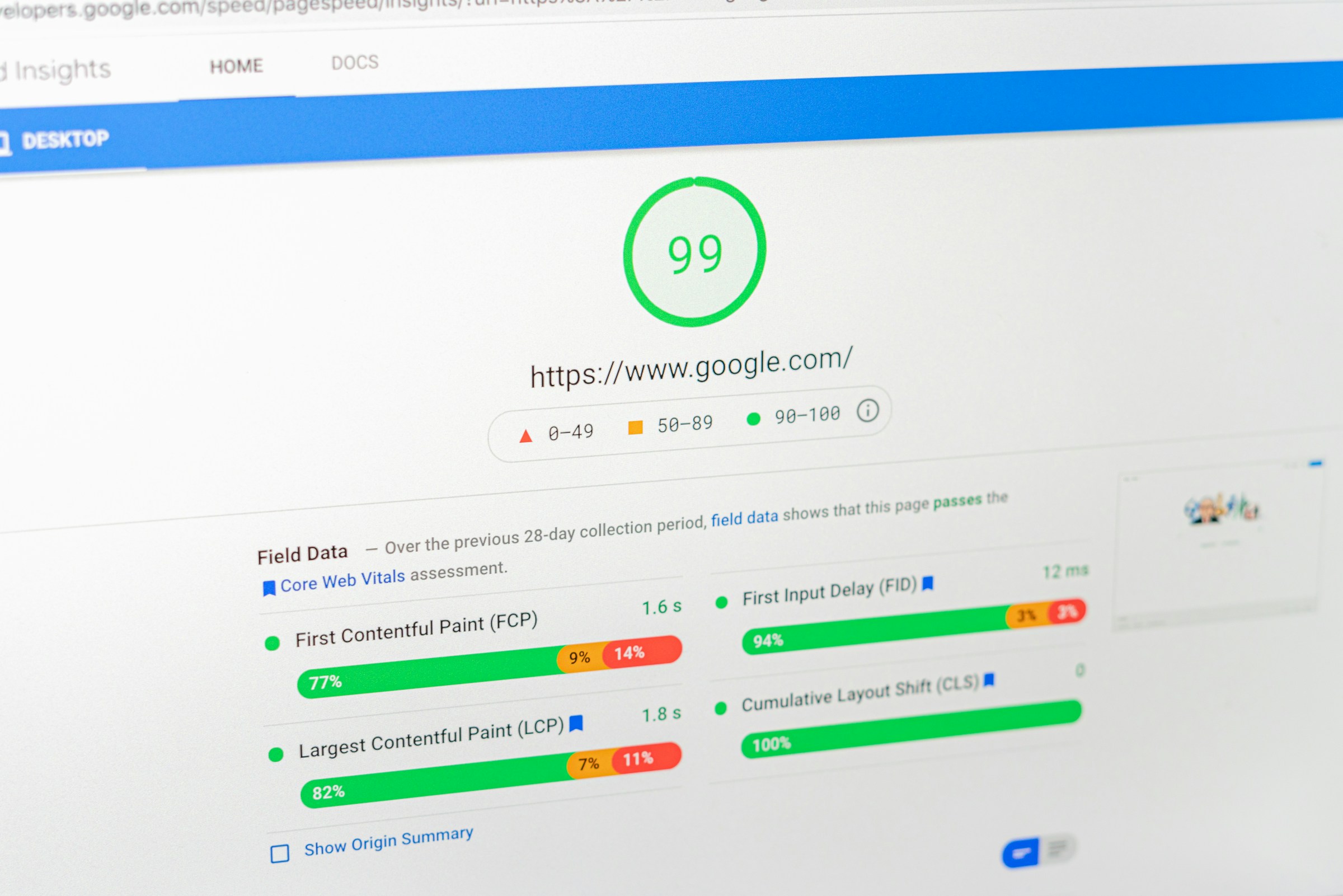
Core Web Vitals are performance metrics that measure how users experience your site.
They focus on:
- Loading speed
- Interactivity
- Visual stability
While these metrics are mainly tied to user experience and rankings, they also reflect how well your pages perform technically.
If your Core Web Vitals are poor, it often signals deeper performance issues that can affect crawling and rendering.
You don’t need perfect scores, but consistently slow or unstable pages can create indexing delays.
Why Performance Matters for Indexing
Google needs to load, render, and understand your pages before indexing them.
If your site is too slow, this process becomes inefficient. In some cases, Google may not fully process the page at all.
Slow sites can prevent Google from fully processing pages, especially when JavaScript or large resources are involved.
Focus on:
- Faster server response times
- Optimized images and scripts
- Clean, lightweight pages
If you want a deeper breakdown of what actually impacts indexing, review Site Speed and indexing: what actually matters.
Internal Linking & Site Structure Problems
Internal links are how Google moves through your site. They connect your pages, show relationships, and guide crawling.
If your internal linking is weak or your structure is unclear, Google struggles to discover and prioritize your content.
This often leads to pages being crawled less often, or not at all.
Google relies heavily on internal links to discover pages. When those links break down, indexing does too.
Broken Internal Links
Broken internal links point to pages that no longer exist or return errors.
When Googlebot follows these links, it hits dead ends. This wastes crawl resources and reduces the efficiency of your site.
If too many links are broken, Google may:
- Spend less time crawling your site
- Miss important pages
- Lose trust in your site’s structure
Broken links also weaken the flow of link equity, which helps pages get discovered and indexed.
Fixing them is straightforward. Replace or remove links that lead to 404 pages, and redirect important URLs where needed.
For a deeper look at how this affects indexing, see how broken internal links affect indexing.
Orphan Pages
Orphan pages are pages with no internal links pointing to them.
Even if these pages exist in your sitemap, Google may struggle to find them. Internal links are the primary way Google discovers content.
Without links, these pages become isolated. They may:
- Not be crawled at all
- Be crawled very rarely
- Fail to get indexed
This is a common issue on larger sites or sites that grow quickly without proper structure.
The solution is to connect every important page through relevant internal links. Each page should be reachable from at least one other page.
To understand the full impact, review how orphan pages affect indexing.
Poor Crawl Paths
A crawl path is the route Google takes to move from one page to another.
If your site has unclear or inefficient paths, Google may struggle to navigate it. This happens when:
- Important pages are buried too deeply
- Navigation is inconsistent
- Internal links are missing or irrelevant
When crawl paths are poor, Google may prioritize easier-to-access pages and ignore others.
This creates uneven indexing, where some pages perform well while others remain invisible.
Improving crawl paths means making your site easy to navigate.
Important pages should be linked clearly and logically, with minimal steps from the homepage.
Shallow vs Deep Architecture
Site architecture refers to how your pages are organized.
A shallow structure means pages are easy to reach, usually within a few clicks from the homepage. This helps Google crawl and index content quickly.
A deep structure means pages are buried several layers down. The deeper a page is, the less likely it is to be crawled frequently.
Google tends to prioritize pages that are closer to the homepage because they appear more important.
If your key pages are too deep, they may:
- Be crawled less often
- Take longer to index
- Receive less visibility overall
A good structure keeps important pages within 2–3 clicks from the homepage.
If your site feels difficult to navigate, Google likely experiences the same problem.
For a full breakdown, see poor site structure and indexing problems.
Content Quality & Indexing Suppression
Not every crawled page gets indexed. Google makes a decision based on value.
If a page does not offer enough useful or unique information, Google may choose to skip it. This is known as indexing suppression.
In simple terms, your page is accessible, but not worth adding to the index.
Google may crawl but choose not to index low-quality pages. This is one of the most common reasons behind “crawled but not indexed” issues.
Thin Content
Thin content refers to pages with very little useful information.
This could mean:
- Very short articles with no depth
- Pages with mostly filler text
- Content that doesn’t fully answer a user’s question
Google looks for pages that provide clear, complete value. If your page only scratches the surface, it may not be indexed.
Thin content often appears on:
- Tag or category pages
- Auto-generated pages
- Placeholder or incomplete posts
The fix is not to add more words, but to add more value. Your content should fully cover the topic in a helpful and clear way.
If you’re unsure whether your content meets that standard, review thin content and indexing suppression for practical improvements.
Duplicate Content
Duplicate content happens when the same or very similar content exists on multiple URLs.
This can confuse Google. Instead of indexing all versions, it will usually pick one and ignore the rest.
Common causes include:
- Multiple URL versions of the same page
- Copied or reused content across pages
- Product descriptions used without changes
On new websites, this is especially common. Without strong signals, Google may struggle to decide which version to index, or may ignore them all.
Duplicate content doesn’t always lead to penalties, but it does lead to indexing issues and lost visibility.
To fix this, you need to:
- Use canonical tags correctly
- Avoid repeating the same content across pages
- Consolidate similar pages where possible
For a deeper explanation, see duplicate content on new websites.
Low-Value Pages
Some pages are not thin or duplicated, but still offer little value.
These are often pages that:
- Target very similar keywords with little variation
- Exist only to fill space
- Provide information that is already widely available without improvement
Google aims to keep its index useful. If your page does not stand out or add something meaningful, it may not be included.
Low-value pages are common on sites that scale content quickly without focusing on quality.
This doesn’t mean every page needs to be long or complex. It just needs to serve a clear purpose and help the user.
Ask a simple question: Does this page solve a problem better than what already exists?
If the answer is no, it may struggle to get indexed.
URL Structure & Technical SEO Conflicts
Your URLs tell Google how your content is organized. When they are clean and consistent, indexing is straightforward.
When they are messy or conflicting, Google has to guess, and that often leads to pages being ignored.
Most URL-related indexing problems come down to duplication and confusion.
URL Parameters
URL parameters are extra parts added to a URL, often used for tracking, filtering, or sorting.
For example, a single page can exist in multiple versions:
?sort=price?filter=category?utm_source=campaign
To a user, these may look similar. To Google, they can appear as separate pages.
This creates duplication. Google has to decide which version to crawl and index.
In many cases, it may waste crawl budget on these variations instead of focusing on your main pages.
If not handled properly, parameter-heavy URLs can:
- Dilute ranking signals
- Create unnecessary duplicate pages
- Slow down crawling
The goal is to guide Google toward the main version. This can be done using canonical tags, proper internal linking, and parameter handling in search tools.
For a deeper breakdown, see URL parameters and indexing confusion.
Canonical Issues
A canonical tag tells Google which version of a page is the preferred one.
When used correctly, it helps consolidate duplicate pages into a single indexed version. But when misconfigured, it creates confusion.
Common canonical issues include:
- Pointing to the wrong URL
- Missing canonical tags
- Conflicting signals between canonicals, redirects, and internal links
In some cases, Google may ignore your canonical tag completely.
Google may choose a different canonical than the one you specify if it believes another version is more reliable or better structured.
This often happens when your signals are inconsistent. For example, if your internal links point to one version but your canonical points to another, Google has to decide which to trust.
To avoid this, keep your signals aligned. Your canonical tags, internal links, and redirects should all point to the same version.
Pagination Problems
Pagination is used to split content across multiple pages, such as blog archives or product listings.
If not handled properly, it can create indexing issues.
Common problems include:
- Pages that are too similar
- Missing or incorrect pagination signals
- Important content buried deep in paginated series
Google may struggle to understand the relationship between pages in a sequence. This can lead to:
- Only the first page being indexed
- Deeper pages being ignored
- Crawl resources being wasted
Clear structure and linking between paginated pages help Google move through them efficiently.
For a full explanation, see pagination problems and indexing (next/prev explained).
Duplicate URLs
Duplicate URLs occur when the same content is accessible through multiple paths.
This can happen due to:
- HTTP vs HTTPS versions
- Trailing slashes vs non-trailing slashes
- Uppercase vs lowercase URLs
- Multiple category paths leading to the same page
Even small differences can create separate URLs in Google’s eyes.
When duplication exists, Google must choose which version to index. This can split ranking signals and reduce visibility.
In some cases, Google may index the wrong version, or none at all if the signals are unclear.
CDN & Infrastructure Issues
A CDN (Content Delivery Network) helps your site load faster by serving content from servers closer to users.
It improves performance, but it can also interfere with crawling if not configured correctly.
When a CDN or security layer blocks Googlebot or serves the wrong version of a page, indexing can fail—even if your site looks fine to users.
CDN Blocking Bots
Many CDNs include security features like firewalls, bot protection, and rate limiting.
If these settings are too strict, they can block Googlebot by mistake. This may return errors like 403 (forbidden) or trigger challenges that bots cannot pass.
When Google is blocked, it cannot crawl your pages. Over time, this can lead to:
- Fewer pages being indexed
- Existing pages being dropped
- Reduced crawl frequency
To avoid this, make sure Googlebot is allowed through your CDN and firewall settings. Most providers offer options to whitelist verified bots.
If you suspect blocking issues, review server logs and compare how your site responds to real users versus bots.
For a deeper explanation, see CDN issues that can block Googlebot.
Geo-Blocking Issues
Some CDNs allow you to restrict access based on location.
This can be useful for security, but it can also cause problems if Googlebot is blocked in certain regions.
Google crawls from different IP addresses around the world.
If your CDN blocks specific countries or regions, Google may not be able to access your site consistently.
This leads to incomplete crawling and uneven indexing.
The safest approach is to ensure that Googlebot can access your site globally, without restrictions.
Cache Problems
CDNs cache content to improve speed, but cached versions can sometimes create indexing issues.
For example:
- Google may see an outdated version of your page
- Changes may not be reflected immediately
- Incorrect pages may be served due to cache rules
If your cache is not properly configured, Google may index old or incomplete content.
In some cases, important updates may not be picked up because Google repeatedly serves the same cached version.
To prevent this, you should:
- Clear cache after major updates
- Set proper cache-control headers
- Ensure dynamic or important pages are refreshed correctly
Google Search Console Indexing Errors Explained
Google Search Console shows how Google sees your pages. The Indexing report highlights pages that are not indexed and explains why.
These statuses are not random. Each one points to a specific issue. Once you understand what they mean, you can decide what to fix and what to ignore.
Crawled – Currently Not Indexed
This means Google visited your page but chose not to index it.
The page is accessible, and there are no major crawl errors. The issue is usually about quality or value.
Common causes include:
- Thin or incomplete content
- Duplicate or very similar pages
- Weak internal linking
- Low overall importance compared to other pages
You should worry if:
- The page is important for traffic or rankings
- Many key pages show this status
You don’t need to worry if:
- The page is low-value (e.g., tags, filters, minor variations)
To fix it, improve content quality and strengthen internal links pointing to the page.
Discovered – Currently Not Indexed
This means Google knows the page exists but hasn’t crawled it yet.
This is often a crawl prioritization issue, not a quality issue.
Common causes include:
- Large websites with many URLs
- Slow server performance
- Weak internal linking
- Heavy JavaScript pages that require more resources
You should worry if:
- Pages stay in this state for a long time
- Important pages are not being crawled
You don’t need to worry if:
- The page was recently published
- Your site is still small and growing
Improving crawl efficiency, speed, and internal linking usually resolves this.
Blocked by robots.txt
This means your robots.txt file is preventing Google from crawling the page.
Google cannot access the content, so it cannot fully evaluate or index it.
This is intentional in some cases, such as:
- Admin pages
- Private sections
- Duplicate or low-value content
You should worry if:
- Important pages are blocked by mistake
You don’t need to worry if:
- The blocked pages are meant to stay hidden
If the page should be indexed, remove or adjust the blocking rule in your robots.txt file.
Duplicate Without Canonical
This means Google found multiple versions of the same content but did not receive clear instructions on which one to index.
As a result, Google may:
- Choose a version on its own
- Ignore some versions entirely
Common causes include:
- URL parameters
- HTTP vs HTTPS versions
- Similar pages without canonical tags
You should worry if:
- The wrong version is being indexed
- Important pages are being excluded
You don’t need to worry if:
- Google has correctly chosen the preferred version
To fix this, use canonical tags, consistent internal linking, and proper redirects to guide Google clearly.
How to Diagnose Indexing Problems (Step-by-Step)
Fixing indexing issues starts with a clear process. This approach helps you isolate the problem and fix it efficiently.
Step 1: Check Index Status
Start by confirming whether your page is indexed.
Use the site: search operator in Google. For example:
site:yourdomain.com/page-url
If the page appears, it’s indexed. If not, it hasn’t been added to Google’s index.
Next, open Google Search Console and check the Indexing report. This shows whether the page is indexed, excluded, or has errors.
This step gives you a clear starting point.
Step 2: Use the URL Inspection Tool
The URL Inspection Tool in Google Search Console shows how Google sees a specific page.
Paste your URL into the tool and review:
- Indexing status
- Crawl date
- Any detected issues
You’ll also see whether the page is:
- Crawled but not indexed
- Discovered but not crawled
- Blocked or restricted
This helps you understand exactly where the problem occurs.
If needed, you can also test the live URL to check if Google can access it in real time.
Step 3: Identify Crawl Issues
If the page isn’t indexed, check whether Google can crawl it properly.
Look for:
- Robots.txt blocking
- Noindex tags
- Crawl errors (404, 500, etc.)
- Blocked resources
These issues prevent Google from accessing or processing the page.
You can find many of these signals in Search Console under the Pages and Crawl Stats reports.
If crawling is blocked, fix this first. Indexing cannot happen without access.
Step 4: Analyze Page Quality
If crawling is working, the next step is content.
Ask simple questions:
- Does this page provide clear value?
- Is it unique compared to other pages?
- Is it complete and helpful?
Pages that are thin, duplicated, or low-value are often skipped by Google.
This is a common reason behind “crawled but not indexed” statuses.
Improving content quality can make a significant difference in whether a page gets indexed.
Step 5: Fix Technical Errors
Once you’ve identified issues, fix them directly.
This may include:
- Updating robots.txt rules
- Removing incorrect noindex tags
- Fixing broken links or redirects
- Improving site speed or server stability
Focus on the root cause, not just the symptom.
Fixing technical issues ensures Google can crawl and process your page without friction.
Step 6: Request Indexing
After making changes, request indexing through the URL Inspection Tool.
This prompts Google to revisit the page sooner.
Keep in mind, this is not instant. Google still needs to crawl and evaluate the page before indexing it.
If the underlying issues are resolved, indexing usually follows.
Best Practices to Prevent Indexing Issues
Preventing indexing problems is easier than fixing them later. These core practices help keep your site accessible, clear, and easy for Google to process.
- Maintain clean site architecture
Keep your site structure simple and logical so pages are easy to find within a few clicks from the homepage. - Optimize internal linking
Link relevant pages together so Google can discover content quickly and understand which pages matter most. - Avoid duplicate and thin content
Focus on creating unique, useful pages that fully answer a topic instead of repeating or lightly covering it. - Monitor server performance
Ensure your site is fast, stable, and free of frequent errors so Google can crawl it consistently without interruptions. - Keep your sitemap updated
Regularly update your XML sitemap to reflect new, important pages and guide Google toward what should be indexed.
Final Thoughts
Indexing problems can feel frustrating, but they are usually fixable once you understand where things are breaking.
In most cases, the issue is not random. It comes down to technical setup, site structure, or content quality.
When one of these areas is weak, Google struggles to crawl, process, or trust your pages.
The key is to stay methodical. Check whether your pages are accessible, make sure your content provides clear value, and keep your site structure simple and connected.
Focus on the most important pages first, resolve the core issues, and build from there.
Regular audits help you catch problems early before they affect your visibility. Small checks over time are more effective than large fixes later.
If you’re unsure where to start, use the supporting guides throughout this page. Each one breaks down a specific issue and shows you exactly how to fix it.
Once your site is technically sound and easy to navigate, indexing becomes far more consistent and much easier to control.
FAQs
Most pages are not indexed because they are new, low-quality, blocked, or hard to crawl. Google may also skip pages with weak internal links or poor structure.
Indexing can take a few hours to several weeks. It depends on factors like site authority, crawl frequency, and technical setup. Google does not guarantee indexing speed.
No, you cannot force indexing. You can request indexing in Google Search Console, but Google still decides based on quality and technical signals.
No. A sitemap helps Google discover pages, but it does not guarantee indexing or rankings. Pages still need to meet quality and technical standards.
Duplicate content is usually not penalized, but Google may ignore duplicate pages and choose one version to index, reducing visibility.





I’m Alex Crawley, an SEO specialist with 7+ years of hands-on experience helping new websites get indexed on Google. I focus on simplifying technical indexing issues and turning confusing problems into clear, actionable fixes.