Getting your new website indexed is the first real step toward getting traffic. If your pages aren’t indexed, they simply don’t exist in search results.
Many new site owners hit the same wall. You publish content, wait, and nothing shows up on Google. It’s frustrating, especially when you’re doing everything “right.”
The problem often isn’t effort, but it’s the type of content you’re creating. Some content gets discovered and indexed much faster than others.
In this guide, you’ll learn which content types help search engines find, understand, and index your site quickly, so you can start seeing results sooner.
If indexing is slow, follow this full guide to speeding up indexing.
What Makes Content “Index-Friendly”?
Crawlability (Internal Links, Structure)
Before your content can be indexed, it has to be found. This is called crawling. If search engines can’t access your pages, they won’t even get a chance to evaluate them.
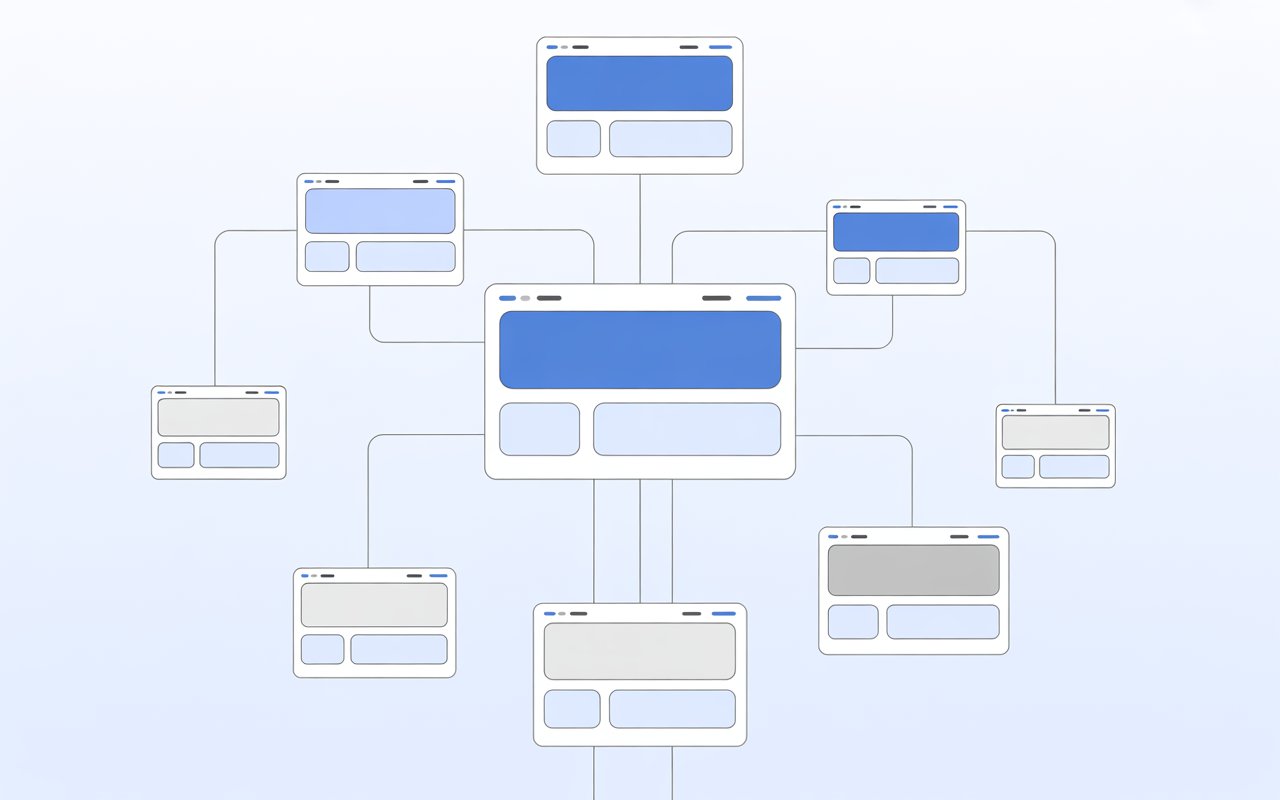
Search engines discover pages by following links. That’s why internal linking matters so much. When one page links to another, you’re giving search engines a clear path to follow.
Without these links, your content can become “invisible,” even if it’s high quality.
Structure plays a big role too. A clean layout helps both users and search engines move through your site more easily.
Pages should be grouped logically, with clear categories and simple URLs. Poor structure or broken links can stop crawlers from reaching important pages.
Think of it like a map. If your site is easy to navigate, search engines can explore it faster and index more of your content.
Content Quality and Originality
Once a page is crawled, search engines decide if it’s worth indexing. Quality is one of the biggest factors here. Low-value or duplicate content is often ignored.
Your content needs to be useful, clear, and written for real people. It should answer a question, solve a problem, or provide something unique.
If your page looks like every other page online, there’s no reason for search engines to include it.
Originality matters just as much. Search engines group similar pages together and usually choose only one version to index and show.
If your content isn’t different, it may never appear in search results.
The goal is simple: create content that stands on its own and gives real value.
Relevance to Search Intent
Search engines don’t just look at content; they look at purpose. They want to match pages with what users are actually searching for.
This is called search intent. If someone searches “how to start a blog,” they expect a step-by-step guide.
If your page doesn’t match that expectation, it’s less likely to be indexed or shown.
Relevance comes from aligning your content with real queries. This includes:
- Using clear topics
- Answering specific questions
- Staying focused on one main idea
Search engines connect content to keywords and queries to decide where it fits.
If your page clearly matches a search, it becomes easier to understand and more likely to be indexed.
Proper Formatting (Headings, Schema, etc.)
Formatting helps search engines understand your content faster. It gives structure to your page and highlights what matters most.
Headings (H1, H2, H3) break your content into sections. This makes it easier to scan and signals the main topics of your page.
Clear headings also improve readability, which helps both users and search engines.
Metadata is just as important. Elements like title tags, descriptions, and image alt text give extra context about your content.
Search engines use these signals when analyzing and indexing pages.
Structured data (schema) adds another layer. It helps search engines understand specific details, like FAQs, reviews, or how-to steps.
This can improve how your content appears in search results.
Clean formatting doesn’t just make your page look better. It makes it easier to process, understand, and index quickly.
1. Cornerstone (Pillar) Content
What Pillar Content Is
Pillar content is a single, in-depth page that covers a topic from start to finish.
It gives a complete overview, not just a quick answer. Think of it as the main hub for a subject on your site.
Instead of spreading information across many thin pages, pillar content brings everything together in one place.
It usually targets a broad topic and then links to more specific articles that go deeper into each section.
This structure helps search engines understand what your site is about. One strong page signals authority much more clearly than several weak ones.
Why It Gets Indexed Faster
Search engines prefer content that is clear, complete, and useful. Pillar pages check all three boxes.
Because they cover a topic in depth, they provide more context. This makes it easier for search engines to understand the page and decide where it belongs in search results.
When a page is easy to understand, it’s more likely to be indexed quickly.
Pillar content also attracts internal links naturally. When you create supporting articles, they link back to the main page.
This builds a strong internal structure, which helps search engines discover and revisit the page more often.
Another key point is quality. Search engines aim to index pages that provide real value.
A well-written pillar page stands out compared to shorter, less useful content. That increases its chances of being indexed early.
Examples (Ultimate Guides, Comprehensive Tutorials)
Pillar content usually takes the form of detailed, structured resources.
Common examples include:
- Ultimate guides (e.g., “The Complete Guide to SEO for Beginners”)
- Step-by-step tutorials that cover the full process
- Beginner-to-advanced breakdowns of a topic
- “Everything you need to know” style articles
These formats work well because they answer multiple related questions in one place.
This reduces the need for search engines to rely on multiple pages to understand a topic.
A strong example would be a full guide that explains what something is, how it works, why it matters, and how to apply it, all in one page.
Best Practices for Creating Pillar Pages
Start with a clear main topic. Keep it broad enough to cover fully, but focused enough to stay relevant. Avoid trying to cover unrelated ideas in one page.
Break the content into sections using clear headings. Each section should answer a specific part of the topic.
This improves readability and helps search engines scan the page more effectively.
Add internal links to related posts. These links should feel natural and useful, not forced.
They help connect your content and guide both users and search engines deeper into your site.
Keep the content original and practical. Avoid repeating what every other page says. Instead, aim to explain things clearly and simply.
Finally, update your pillar content over time. As you add new articles or learn more, improve the page.
Fresh, updated content signals that your site is active, which can support faster indexing.
2. Blog Posts Targeting Long-Tail Keywords
Why Long-Tail Keywords Are Easier to Index
Long-tail keywords are specific search phrases, usually made up of three or more words.
Instead of targeting broad terms like “SEO,” you target something more focused, like “how to fix pages not indexing in Google.”
These keywords are easier to index because there’s less competition.
Fewer websites are targeting the exact same phrase, which gives new sites a better chance to be discovered and indexed.
Search engines also find them easier to understand. A specific query clearly shows intent.
When your content matches that intent closely, it becomes easier for search engines to decide where your page fits. This increases the likelihood of faster indexing.
Another advantage is coverage. Each long-tail post targets a small, clear topic.
Over time, multiple posts build topical relevance, helping your entire site get crawled and indexed more efficiently.
How to Find Low-Competition Topics
Start by thinking about real questions people ask. The more specific the question, the better. Simple phrasing often reveals low-competition opportunities.
Search engines themselves are a great source of ideas. Look at autocomplete suggestions and “People also ask” sections.
These are based on real searches and often highlight long-tail queries with clear intent.
You can also break down a broad topic into smaller parts. For example, instead of writing one general post about indexing, create separate posts for specific problems like:
- Pages not indexing after publishing
- Sitemap submitted but not indexed
- New site not getting crawled
Each of these is a focused topic with less competition.
Keyword tools can help, but they’re not required. The goal is clarity, not complexity. If a topic feels specific and useful, it’s usually a good long-tail opportunity.
Structuring Posts for Quick Indexing
Start with a clear title that matches the search query closely. This helps search engines understand the topic immediately.
Open with a direct answer. Don’t delay the main point. This signals relevance early and improves clarity.
Use simple headings to break the content into sections. Each section should answer a specific part of the query.
This structure makes it easier for search engines to scan and process your page.
Keep the content focused. Avoid going off-topic or adding unnecessary information. A tightly focused post is easier to understand and index.
Add internal links where relevant. Link to related posts or a main pillar page. This helps search engines discover your content faster and understand how pages connect.
Finally, make sure the page is easy to load and mobile-friendly. Technical issues can slow down or block indexing, even if the content is good.
Example Topics
Here are examples of strong long-tail topics for a new site:
- “Why is my page not indexing on Google?”
- “How to request indexing in Google Search Console step by step”
- “How long does it take for a new site to get indexed?”
- “Fix ‘Crawled – currently not indexed’ issue”
- “Best way to get blog posts indexed faster”
Each topic targets a clear question. Each has a specific intent. This makes them easier for search engines to understand, index, and rank.
3. “How-To” Guides and Tutorials
Why Google Favors Instructional Content
“How-to” content works because it directly solves problems.
Search engines aim to show results that help users take action, not just read information. Instructional pages do exactly that.
When someone searches “how to fix indexing issues,” they expect clear steps.
If your page delivers a complete, easy-to-follow solution, it aligns perfectly with that intent. This makes it easier for search engines to trust and index the page.
Search engines also look for helpful, people-first content.
Pages that demonstrate real steps, practical advice, and clear outcomes are more likely to be seen as valuable.
That increases the chances of faster indexing and better visibility over time.
Step-by-Step Formatting Benefits
Structure is what makes how-to content powerful. A clear step-by-step format removes confusion and improves readability.
Each step gives search engines a logical flow to follow. It shows where the process starts, how it progresses, and what the end result should be.
This clarity helps search engines understand the page quickly.
For readers, it makes the content easier to use. They can scan, follow along, and take action without guessing.
This improves engagement, which can indirectly support better indexing signals.
Use simple numbered steps. Keep each step focused on one action. Avoid combining too many ideas into a single section. The cleaner the structure, the easier it is to process.
Using FAQs to Enhance Indexing
FAQs add extra depth without making the main content harder to follow. They allow you to answer related questions that users are already searching for.
This helps in two ways. First, it increases keyword coverage naturally.
You’re not forcing keywords into the main content, but you’re answering real questions in a dedicated section.
Second, it improves clarity. If a user has a follow-up question, they can find the answer on the same page. This reduces the need to leave and search again.
From an indexing point of view, FAQs give search engines more context. They help define what the page is about and how it connects to related queries.
Adding structured FAQ sections can also improve how your page appears in search results.
Examples of Effective How-To Posts
Strong how-to content focuses on one clear outcome. It doesn’t try to cover everything at once. It solves a specific problem from start to finish.
Examples include:
- “How to fix ‘Page not indexed’ in Google Search Console”
- “How to submit a sitemap the right way”
- “How to improve crawlability on a new website”
- “How to internally link pages for faster indexing”
Each of these topics has a clear goal. Each can be broken into simple, actionable steps.
The key is clarity. If a reader can follow your guide and complete the task without confusion, you’ve done it right.
And when your content is that clear, search engines are more likely to index it quickly.
4. List Posts (Listicles)
Why List Content Performs Well for New Sites
List posts work because they organize information in a simple, predictable way.
Search engines favor content that is easy to scan and clearly structured, and listicles naturally do both.
For new sites, this is a big advantage. You don’t need high authority to rank or get indexed, but you need clarity and usefulness.
A well-made list post can cover a topic efficiently without needing thousands of words.
List content also matches how people search. Many users type queries like “best tools,” “top tips,” or “ways to fix.”
When your content mirrors these searches, it becomes easier for search engines to connect your page to those queries and index it faster.
Easy Readability and Crawlability
Listicles break content into small, clear sections. Each item acts like its own mini-topic.
This makes it easier for both users and search engines to understand what the page covers.
From a crawling perspective, this structure helps a lot. Search engines can quickly identify headings, scan sections, and determine the main points of the page without confusion.
For readers, it reduces effort. They can skim the list, find what they need, and move on. This improves engagement and keeps the experience smooth.
Clear formatting, like numbered lists or bullet points, also reduces clutter. Less clutter means better understanding, which supports faster indexing.
Examples: “Top 10…”, “Best Tools for…”
Effective list posts focus on a clear theme and deliver quick value.
Common formats include:
- “Top 10 Ways to Get Your Site Indexed Faster”
- “Best SEO Tools for New Websites”
- “7 Common Indexing Issues and How to Fix Them”
- “5 Simple Steps to Improve Crawlability”
Each example targets a specific goal. The reader knows exactly what they’ll get before clicking.
Strong listicles also keep each point focused. One idea per section. No unnecessary overlap. This clarity helps search engines map out the content quickly.
Optimization Tips
Start with a clear, keyword-focused title. Match the phrasing people actually search for, like “best,” “top,” or “ways to.”
Use numbered headings for each item. This creates a clean structure that’s easy to follow and easy to crawl.
Keep each section concise but useful. Don’t just list points, but briefly explain each one so it adds value.
Add internal links where relevant. For example, if one item mentions a detailed topic, link to a full guide.
This strengthens your site structure and helps search engines discover more pages.
Avoid padding your list just to reach a number. Every item should serve a purpose. A shorter, high-quality list will perform better than a long, weak one.
5. FAQ Pages and Q&A Content
Capturing Search Queries Directly
FAQ content works because it mirrors how people search. Most queries are written as questions, especially for problems like indexing.
When your page uses the same wording, it becomes easier for search engines to match your content to those searches.
Instead of guessing what users want, you answer it directly. A question like “Why is my page not indexed?” followed by a clear answer removes ambiguity.
This clarity helps search engines understand the purpose of the page quickly.
It also allows you to target multiple related queries on one page. Each question adds a new entry point for discovery.
This increases the chances of your page being crawled and indexed.
Improving Chances of Featured Snippets
Search engines often pull short answers from pages to display at the top of results.
These are known as featured snippets. FAQ content is well-suited for this because it is already structured as direct questions and answers.
Clear, concise answers increase your chances of being selected. When a question is followed by a simple, accurate response, search engines can easily extract that information.
Even if you don’t get a featured snippet, this format still helps. It improves how your content is understood and can lead to better visibility once indexed.
The key is to keep answers short at first, then expand if needed. This gives both users and search engines exactly what they’re looking for.
Structuring FAQ Schema
FAQ schema is a type of structured data that helps search engines read your questions and answers more clearly.
It adds extra context to your page without changing how it looks to users.
When implemented correctly, it can enhance how your page appears in search results.
In some cases, your FAQs may show directly under your listing, making your page more noticeable.
The structure itself is simple. Each question is marked as a “Question,” and each answer is marked as an “Answer.”
This tells search engines exactly what each part of your content represents.
While a schema doesn’t guarantee indexing, it improves clarity. And when your content is easier to understand, it’s easier to index.
Where to Place FAQs on Your Site
FAQs can be used in more than one place. You don’t need to limit them to a single page.
You can create a dedicated FAQ page that targets broad questions about your niche. This works well for covering general topics and building topical relevance.
You can also add FAQ sections at the end of blog posts. This is often more effective for indexing because the questions are directly related to the main topic of the page.
Another option is to include FAQs within pillar content. This helps expand coverage without breaking the flow of the main content.
The goal is simple: place FAQs where they add clarity. If a question naturally follows the content, include it.
This keeps your pages helpful, structured, and easier for search engines to process.
6. Comparison and “Vs” Articles
High Intent and Search Demand
Comparison content targets users who are close to making a decision. When someone searches “X vs Y,” they already know what they’re looking for. They just need clarity.
This type of search has strong intent. Users want clear differences, pros and cons, and a final recommendation.
Search engines prioritize content that satisfies this need because it directly helps users move forward.
For new sites, this is an opportunity. You’re not trying to compete on broad topics. You’re answering a very specific question with a clear purpose.
That makes it easier for search engines to understand and index your page.
Examples: “Tool A vs Tool B”
Comparison posts are simple in concept. You take two (or more) options and break down how they differ.
Common examples include:
- “Ahrefs vs SEMrush: Which Is Better for Beginners?”
- “WordPress vs Wix: Which Platform Should You Choose?”
- “Google Search Console vs Bing Webmaster Tools”
- “Free vs Paid SEO Tools: What’s Worth It?”
Each example focuses on a direct comparison. The topic is clear, and the intent is easy to understand.
You can also compare methods, strategies, or approaches, and not just tools. This expands your content options while still keeping strong intent.
How Comparisons Help Indexing and Rankings
Comparison pages are naturally structured. They break information into sections like features, pricing, ease of use, and performance.
This makes them easy to crawl and understand.
They also include highly relevant keywords. Terms like “vs,” “difference,” and “best” signal comparison intent.
Search engines use these signals to match your page with the right queries.
Another benefit is depth. A good comparison covers multiple angles in one page. This gives search engines more context, which can improve indexing speed.
Because these pages help users make decisions, they often perform well once indexed. Higher engagement and clear relevance can support stronger rankings over time.
Structuring Comparison Content
Start with a clear introduction. Explain what you’re comparing and who the comparison is for. Keep it simple and direct.
Use consistent sections for each comparison point. For example:
- Features
- Pricing
- Ease of use
- Pros and cons
This structure helps both users and search engines follow the content more easily.
Add a quick summary table if possible. It gives a fast overview and improves readability.
Be fair and balanced. Don’t push one option without explanation. Instead, show where each option works best. This builds trust and improves content quality.
End with a clear conclusion. Help the reader decide based on their needs. A strong, practical takeaway increases the value of the page.
7. Evergreen Content
What Evergreen Content Is
Evergreen content is content that stays useful over time. It doesn’t depend on trends, news, or short-term updates. The topic remains relevant months or even years after publishing.
Instead of focusing on “what’s new,” evergreen content focuses on “what stays true.”
Topics like basic SEO principles, how indexing works, or how to fix common errors don’t change often. That stability makes the content reliable.
For a new site, this creates a strong foundation. You’re building pages that won’t lose value quickly and can continue attracting attention long after they go live.
Why It Keeps Getting Indexed Over Time
Search engines don’t index pages just once. They revisit and re-evaluate content regularly. Evergreen pages benefit from this because they stay relevant.
When a page continues to match search intent, search engines keep it in their index. If the content remains useful and accurate, there’s no reason to remove it.
Evergreen content also attracts ongoing internal links. As you publish more posts, you naturally link back to foundational pages.
This signals importance and encourages search engines to crawl those pages more often.
Another factor is consistency. A stable topic with clear value makes it easier for search engines to trust the content. That trust supports long-term indexing and visibility.
Examples and Topic Ideas
Strong evergreen topics solve problems that don’t change frequently. They focus on fundamentals rather than trends.
Examples include:
- “How search engine indexing works”
- “Common reasons pages are not indexed”
- “How to improve website crawlability”
- “Beginner’s guide to technical SEO”
- “How to structure a website for better indexing”
These topics stay relevant because the core concepts remain the same. Even as tools evolve, the basics still apply.
When choosing topics, ask a simple question: Will this still be useful a year from now? If the answer is yes, it’s likely evergreen.
Updating Content for Freshness
Even evergreen content needs occasional updates. Small changes can keep it accurate and improve performance.
You don’t need to rewrite the entire page. Focus on:
- Updating outdated examples
- Adding new insights or sections
- Fixing broken links
- Improving clarity where needed
Search engines notice when content is refreshed. Regular updates signal that your site is active and maintained.
This can encourage more frequent crawling and help maintain indexing.
It also improves user trust. Readers are more likely to rely on content that feels current and well-maintained.
8. Supporting Content for Internal Linking
Role of Supporting Articles
Supporting content is made up of smaller, focused articles that connect to your main (pillar) page. Each one covers a specific subtopic in more detail.
These articles are not standalone pieces. Their main job is to support a broader topic and strengthen your site structure.
For example, instead of one general post about indexing, you create separate posts for issues like crawl errors, sitemap problems, or slow indexing.
This approach gives search engines more entry points into your site. Each supporting page can be discovered on its own, then lead crawlers deeper through internal links.
Building Topical Relevance
Search engines try to understand what your site is about as a whole. One page is not enough to establish that. You need multiple related pages that cover a topic from different angles.
Supporting content helps build this connection. When several pages focus on closely related topics, it sends a strong signal that your site has depth in that area.
This is often called topical relevance. The clearer your topic coverage, the easier it is for search engines to categorize and index your content correctly.
Instead of spreading your efforts across random topics, you build authority in one area step by step.
How Internal Links Help Search Engines Discover Pages
Internal links are one of the most important signals for crawling. Search engines use links to move from one page to another. If a page has no links pointing to it, it may never be found.
When you link supporting articles to your main page and back again, you create a clear path for crawlers. This improves discovery and increases the chances of faster indexing.
Internal links also pass context. The anchor text and surrounding content help search engines understand what the linked page is about.
This makes indexing more accurate, not just faster.
Another benefit is crawl efficiency. A well-linked site allows search engines to move through pages without hitting dead ends or wasting time.
Example Content Clusters
A content cluster is a group of related pages built around one main topic. It includes one pillar page and multiple supporting articles.
Here’s a simple example for an indexing-focused site:
Pillar Page:
- “The Complete Guide to Google Indexing”
Supporting Articles:
- “Why pages are not indexing”
- “How to fix crawl errors”
- “How to submit a sitemap properly”
- “How internal linking improves indexing”
- “How long indexing takes and why”
Each supporting article links back to the pillar page. The pillar page links out to each supporting post. This creates a strong, connected structure.
Content Types to Avoid (Early On)
Thin Content
Thin content is content that offers little to no real value. It may be too short, too vague, or missing key information.
Search engines aim to index pages that help users.
If a page doesn’t answer a question clearly or solve a problem, it’s often ignored. In many cases, thin pages are crawled but not indexed at all.
This usually happens when content is rushed or created just to fill space.
A 300-word post that says very little will struggle to compete with a clear, helpful page, even if that page is only slightly longer.
The fix is simple. Focus on usefulness. Every page should have a clear goal and deliver a complete answer.
Duplicate or AI-Heavy Low-Value Content
Duplicate content creates confusion. When multiple pages say the same thing, search engines don’t know which one to index.
As a result, they may ignore all of them or choose just one.
This often happens when content is copied, slightly rewritten, or mass-produced without adding new value.
Even AI-generated content can fall into this trap if it repeats common ideas without offering anything original.
Search engines look for unique, helpful information. If your content doesn’t stand out, it becomes easy to skip.
That doesn’t mean you can’t use AI tools. It means the final content must be edited, refined, and made genuinely useful.
Original insight, clarity, and structure matter more than how the content is created.
Pages with No Clear Purpose
Every page should answer a specific question or serve a clear role. If a page tries to cover too many topics or none at all, it becomes hard to understand.
Search engines rely on clarity. If they can’t quickly determine what a page is about, indexing becomes less likely.
This problem often shows up in unfocused blog posts.
For example, a page that mixes indexing tips, keyword research, and unrelated advice will feel scattered. It doesn’t match a clear search intent.
The solution is to keep each page focused. One topic. One goal. One clear outcome for the reader.
Orphan Pages (No Internal Links)
Orphan pages are pages that have no internal links pointing to them. This means there is no path for search engines to find them through normal crawling.
Even if the content is high quality, it may never be discovered. And if it’s not discovered, it won’t be indexed.
Internal linking solves this problem. Every page should be connected to at least one other page on your site.
Ideally, it should be part of a larger structure, like a content cluster.
Think of it this way: if a page isn’t linked, it doesn’t exist in your site’s ecosystem.
Best Practices to Maximize Indexing Speed
Publish Consistently
Search engines don’t just look at what you publish, but they track how often you publish. Consistent activity signals that your site is active and worth revisiting.
When you publish regularly, search engines tend to crawl your site more often.
More crawling leads to faster discovery, which improves your chances of getting indexed quickly.
Consistency doesn’t mean posting daily. It means sticking to a steady schedule you can maintain.
Even one or two quality posts per week is enough to build momentum.
Use Internal Linking Strategically
Internal links guide search engines through your site. Without them, pages can be missed or delayed in indexing.
Link new pages from existing ones. This creates a direct path for crawlers to find fresh content. It also helps distribute importance across your site, making key pages stand out.
Use clear, relevant anchor text. This gives context about the linked page and improves how it’s understood during indexing.
A strong internal linking structure turns your site into a connected system, not a set of isolated pages.
Submit URLs via Google Search Console
Submitting your URLs manually can speed up discovery. Tools like Google Search Console allow you to request indexing for new or updated pages.
This doesn’t guarantee indexing, but it puts your page in front of search engines faster. It’s especially useful for new sites that don’t get crawled often yet.
You can also submit a sitemap. This gives search engines a full list of your important pages, making it easier to find and prioritize them.
Use this feature wisely. Focus on your most important pages instead of submitting everything at once.
Optimize for Crawl Budget
Crawl budget is the number of pages a search engine will crawl on your site within a given time. New sites usually have a limited budget, so efficiency matters.
If your site has too many low-value pages, search engines may waste time crawling them instead of your important content.
Keep your site clean. Remove or improve weak pages. Fix broken links. Avoid unnecessary duplicates.
When your site is efficient, search engines can focus on the pages that matter. This improves both crawling and indexing speed.
Ensure Fast Page Speed and Mobile Usability
Technical performance plays a direct role in indexing. Slow or broken pages are harder to crawl and may be skipped.
Fast-loading pages allow search engines to process more content in less time. This improves crawl efficiency and increases the chances of indexing.
Mobile usability is just as important. Search engines primarily use mobile versions of pages for indexing. If your site doesn’t work well on mobile, it can limit visibility.
Focus on simple improvements:
- Optimize images
- Reduce unnecessary scripts
- Use responsive design
A fast, mobile-friendly site is easier to crawl, easier to understand, and more likely to be indexed quickly.
Key Takeaways
- Focus on high-value, structured content — Create content that is clear, useful, and well-organized so search engines can understand and index it more easily.
- Start with pillar + supporting posts — Build a strong foundation with one main guide and related articles that link together and reinforce your topic.
- Prioritize clarity, usefulness, and relevance — Make every page answer a specific question and match what users are actually searching for.
- Consistency beats volume — Publishing regularly builds trust and improves crawling, even if you’re posting less often.
Final Thoughts
Getting indexed starts with the right content choices. When your pages are clear, useful, and well-structured, search engines can find and understand them faster.
Start simple. Focus on proven formats like pillar pages, how-to guides, and long-tail posts that match real searches.
Stay consistent and think long term. Strong, helpful content builds momentum over time, and that’s what leads to steady indexing and growth.
Is your content taking too long to get indexed? learn how to solve indexing issues permanently.
FAQs
Pillar content and well-structured how-to guides tend to get indexed quickest.
Yes, if they are high-quality and internally linked.
Start with 2–3 (pillar, how-to, and long-tail blog posts) and expand gradually.
Longer content can help, but quality and structure matter more.
Yes, a mix helps search engines understand your site faster.





I’m Alex Crawley, an SEO specialist with 7+ years of hands-on experience helping new websites get indexed on Google. I focus on simplifying technical indexing issues and turning confusing problems into clear, actionable fixes.















