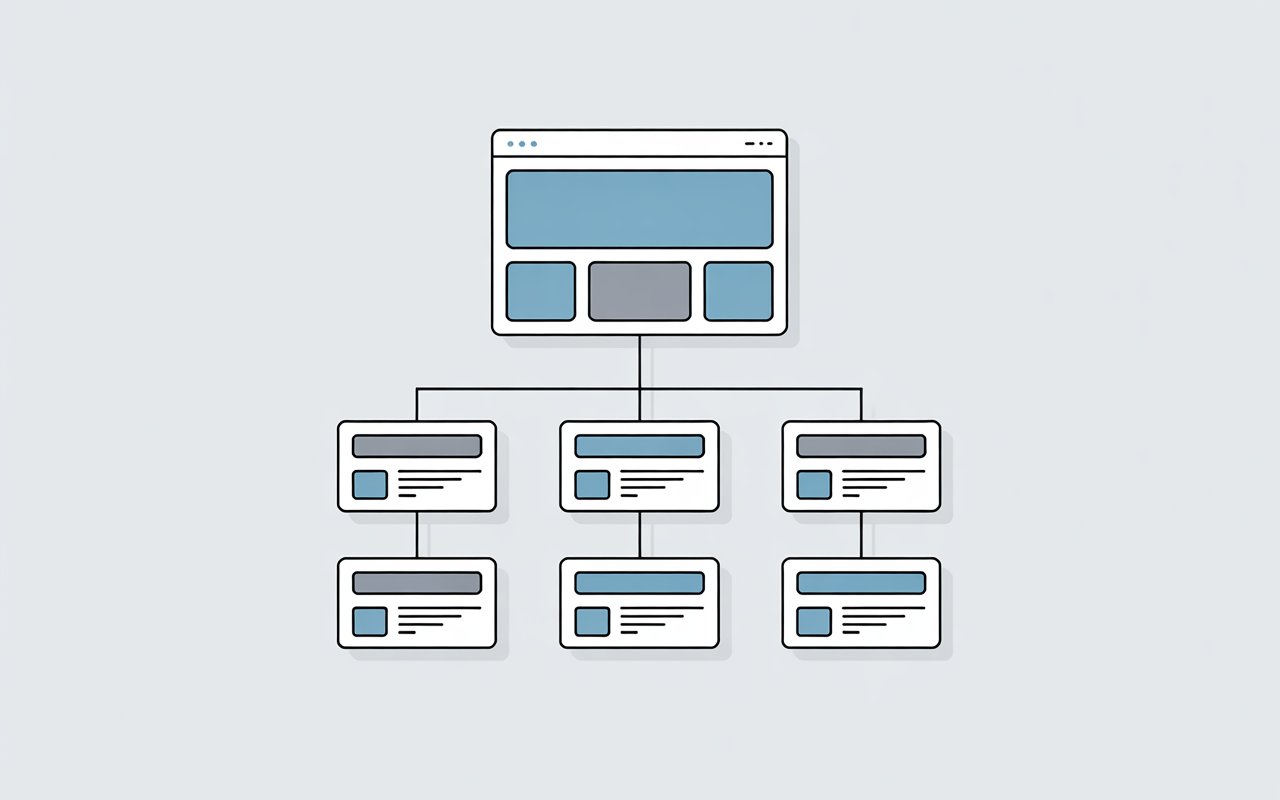
Your site structure is how your pages are organized and linked together. It’s the path both users and Google follow to find your content.
If that path is clear, your pages get discovered and indexed faster.
But when your structure is messy, things break down quickly. Important pages get buried. Some don’t get found at all.
Poor site structure can quietly block Google from crawling your site properly.
Fixing it puts you back in control and helps your content actually show up where it should.
Need a full walkthrough on why your site may not be indexing? Check out this detailed resource on fixing technical SEO indexing issues.
What Do We Mean By Site Structure in SEO?
Site structure in SEO is how your website is arranged and how your pages connect. It acts as a map showing where everything is and how to get there.
A clear structure groups related content together. It also creates a simple path from your homepage to important pages.
This structure relies on internal links. These links connect pages and guide both users and search engines.
When Google lands on a page, it follows these links to find more content. If a page has no links pointing to it, it may not be discovered or indexed.
Hierarchy also plays a key role. Top-level pages, like your homepage and main categories, carry more importance. Deeper pages depend on strong linking to stay visible.
When your structure is clean and connected, Google can crawl your site with ease. When it’s not, pages get buried, and indexing problems begin.
How Google Crawls and Indexes Your Site
Google works in two main steps: crawling and indexing. Crawling is when Googlebot visits your site and looks for pages.
Indexing is the process of storing pages and making them eligible to appear in search results.
Googlebot usually starts with known pages, like your homepage or sitemap, then follows links to discover more content.
It does not search your site randomly because it depends on links to move from one page to another. Every internal link acts like a path. If the path exists, Google can follow it.
If it doesn’t, the page may be missed. This is why your site structure matters so much. A clear structure creates direct, easy paths to important pages.
A messy structure forces Google to dig deeper, which can waste crawl budget and slow down discovery.
Pages that are too far from the homepage, or poorly linked, are less likely to be crawled often or indexed at all.
Strong internal linking and a simple hierarchy help Google move through your site quickly, understand which pages matter, and index them with fewer issues.
What Is Poor Site Structure?
Disorganized or Deep Page Hierarchy
Poor site structure often starts with a messy or overly deep hierarchy. This happens when pages are not grouped logically or are buried under too many layers.
Instead of a clear path from the homepage to key content, users and search engines have to click through multiple levels to find anything useful.
Google prefers a shallow structure because it can reach important pages faster.
When pages sit too deep, they are crawled less often and may be seen as less important. This slows down indexing and can leave valuable content unnoticed.
Orphan Pages (No Internal Links)
Orphan pages are pages with no internal links pointing to them. That means there is no clear path for Google to find them during crawling.
Even if the page exists, it can remain invisible to search engines because nothing connects to it. These pages often don’t get indexed at all.
Internal links are essential because they signal that a page is part of your site’s structure. Without them, the page is isolated and easily ignored.
Broken or Inconsistent Navigation
Navigation should guide both users and search engines smoothly across your site. When it’s broken or inconsistent, that flow is disrupted.
This includes missing menu links, incorrect URLs, or pages that lead to errors. It also includes layouts that change too often or don’t follow a clear pattern.
Google relies on consistent navigation to understand how pages relate to each other.
If that structure is unclear or unreliable, crawling becomes less efficient, and important pages may be skipped.
Too Many Clicks to Reach Important Pages
If users need to click too many times to reach key pages, your structure is working against you.
Important content should be easy to access, ideally within a few clicks from the homepage. The more steps it takes, the harder it is for Google to reach and prioritize those pages.
This increases the risk of slow crawling or missed indexing. Keeping important pages close to the top helps ensure they are found quickly and treated as valuable.
Common Site Structure Issues That Affect Indexing
- Deep pages (buried content): Pages that sit too far from the homepage are harder for Google to reach. If it takes many clicks to access them, they are crawled less often. This reduces their chances of being indexed and ranked.
- Orphan pages: These pages have no internal links pointing to them. Google relies on links to discover content, so orphan pages are often missed completely. If they aren’t in your sitemap either, they may never be indexed.
- Broken internal links: Links that lead to errors (like 404 pages) disrupt crawling paths. Google may stop following those paths, which can prevent other pages from being discovered. This also wastes crawl budget.
- Duplicate or confusing URL structures: Multiple URLs leading to the same or similar content can confuse search engines. Google may struggle to decide which version to index, or it may ignore them altogether. This weakens your overall indexing signals.
- Poor navigation menus: Menus that are unclear, incomplete, or inconsistent make it harder for both users and search engines to move through your site. Important pages can be hidden or overlooked if they aren’t properly included.
- Lack of sitemap or improper sitemap usage: An XML sitemap helps guide Google to your pages. Without it, or if it’s outdated or incorrect, important pages may be missed. A clean, updated sitemap supports faster and more complete indexing.
How Poor Site Structure Impacts Indexing
- Pages not discovered by Google: When pages aren’t properly linked, Google has no clear path to find them. If a page can’t be discovered during crawling, it won’t be indexed.
- Crawl budget wasted: Google allocates a limited amount of crawling to each site. If your structure is messy, bots spend time on low-value or broken pages instead of important ones. This reduces overall indexing efficiency.
- Important pages ignored: Weak structure can make key pages harder to reach. If they are buried or poorly linked, Google may treat them as less important and skip them.
- Slow or incomplete indexing: A confusing structure slows down how quickly Google moves through your site. Some pages may take longer to appear in search, while others may not get indexed at all.
- Lower rankings due to weak internal linking: Internal links pass value and signal importance. If your linking is weak or inconsistent, your pages lose strength, making it harder for them to rank well, even if they are indexed.
Signs Your Site Structure Is Hurting Indexing
Pages Not Appearing in Google
If your pages don’t show up in search results, it’s often a structure problem. Google can only index what it can find and access.
When pages are buried deep or not linked properly, they may never be discovered. Even valuable content can stay invisible if there’s no clear path leading to it.
“Discovered – Currently Not Indexed” in Search Console
This status means Google knows the page exists but hasn’t added it to the index. In many cases, this happens when the page sits too deep or lacks strong internal links.
Google may delay indexing because the page doesn’t seem important enough within your site structure.
Improving internal linking and visibility can help push these pages into the index.
Low Crawl Activity
If Google isn’t crawling your site often, it may be struggling to navigate it. A confusing or broken structure makes it harder for bots to move from page to page.
As a result, fewer pages get crawled, and indexing slows down. Consistent crawling depends on clear paths and working links.
Important Pages With No Internal Links
When key pages have no internal links, they lose visibility. Google relies on links to understand which pages matter.
Without them, even your most important content can be overlooked. This is a clear sign your structure needs attention.
High Click Depth
Click depth refers to how many steps it takes to reach a page from the homepage. If users and search engines need too many clicks, the page becomes harder to access.
Google tends to prioritize pages that are closer to the top. High click depth often leads to slower crawling and weaker indexing.
How to Fix Poor Site Structure (Step-by-Step)
1. Simplify Your Site Hierarchy
Start by making your structure easy to follow. Keep important pages within three to four clicks from the homepage so they are quick to reach.
A shallow structure helps Google crawl your site faster and more often. Group related content into clear categories so everything has a logical place.
This makes it easier for both users and search engines to understand how your content fits together.
2. Improve Internal Linking
Internal links are what guide Google through your site. Link to your most important pages often, so they are easy to find and seen as valuable.
Add links naturally within your content where they make sense. This not only improves crawl paths but also helps Google understand the relationship between your pages.
3. Fix Orphan Pages
Find pages that have no internal links pointing to them. These pages are often missed during crawling.
Once identified, link to them from relevant pages that already get traffic or are well-connected.
This brings them back into your site structure and improves their chances of being indexed.
4. Optimize Navigation Menus
Your navigation should be simple and consistent. Make sure users can find key pages without confusion.
Include your most important categories and pages in menus so they are always accessible.
A clear menu also helps Google understand your site layout and follow important paths.
5. Use a Proper URL Structure
Keep your URLs clean and easy to read. Use words that describe the page content instead of random numbers or long strings.
Avoid unnecessary parameters that can create duplicate or confusing URLs.
A clear URL structure supports better crawling and helps search engines understand each page.
6. Create and Submit an XML Sitemap
An XML sitemap acts as a guide for search engines. It lists your important pages and helps Google discover them faster.
Make sure your sitemap is up to date and only includes pages you want indexed.
Submitting it through Google Search Console improves visibility and supports better indexing.
7. Fix Broken Links
Check your site regularly for broken links. These links lead to error pages and disrupt how Google moves through your site.
Fix or replace them to keep your structure clean and connected. Regular audits help maintain strong crawl paths and prevent indexing issues from building up.
Best Practices for SEO-Friendly Site Structure
Flat Architecture
A flat architecture keeps your most important pages close to the homepage. This usually means users and search engines can reach key content within a few clicks.
Google tends to crawl pages that are easier to access more frequently.
When your structure is flat, fewer pages get buried, and more of your content gets discovered and indexed.
Logical Content Silos
Content silos group related pages under clear categories. This helps Google understand what each section of your site is about.
For example, all articles on a similar topic should link back to a main category page and connect to each other where relevant.
This builds strong topical signals and makes crawling more efficient.
Consistent Internal Linking
Internal linking should follow a clear and repeatable pattern.
Important pages should always receive links from multiple places, especially from high-traffic or high-authority pages.
Consistency helps Google understand which pages matter most. It also prevents gaps where pages become isolated or hard to find.
Mobile-Friendly Navigation
Most crawling today happens with mobile-first indexing. This means Google primarily looks at the mobile version of your site.
If your navigation is hard to use on smaller screens, it can limit how easily Google moves through your pages.
Simple menus, clear buttons, and easy access to key pages improve both user experience and crawlability.
Regular Structure Audits
Site structure is not something you fix once and forget. As you add new content, issues can build up over time.
Regular audits help you spot problems like broken links, orphan pages, or deep content.
Fixing these early keeps your structure clean and ensures Google can continue to crawl and index your site without issues.
Tools to Analyze Site Structure
Google Search Console
A free tool from Google that shows how your site performs in search. It helps you track which pages are indexed, identify crawl errors, and monitor how Googlebot accesses your site.
You can also submit sitemaps and see which pages have indexing issues, giving you direct insight into structural problems.
Screaming Frog SEO Spider
A powerful website crawler that scans your site the same way search engines do.
It finds broken links, duplicate content, and missing metadata while mapping out your internal linking structure.
This makes it one of the most effective tools for spotting technical issues that affect crawling and indexing.
Ahrefs / SEMrush
These are all-in-one SEO platforms that provide site audits, backlink analysis, and keyword data.
They help you understand how your pages perform, how they are linked, and where structural gaps exist.
Both tools also highlight issues like weak internal linking, crawl errors, and pages that are not being indexed properly.
Sitebulb
A technical SEO auditing tool that focuses on visual insights.
It creates interactive maps of your site structure, making it easy to see how pages connect and where problems exist.
It also explains issues in simple terms, helping you quickly fix weak internal links, orphan pages, and crawl inefficiencies.
Final Thoughts
Site structure shapes how Google finds, crawls, and indexes your pages. When it’s clear and connected, your content is easier to discover and more likely to rank.
Fixing structure issues gives you control back. Small changes, like better linking and simpler navigation, can lead to faster indexing and stronger visibility.
Keep reviewing your structure as your site grows. Regular checks help you catch problems early and keep everything running smoothly.
To understand and resolve indexing issues faster, have a look at this comprehensive guide to Google indexing troubleshooting.
FAQs
Yes. A clear structure helps Google find and index your pages faster, while a poor structure can block or delay indexing.
Ideally, within 3–4 clicks from the homepage. Pages that are too deep are crawled less often.
Pages with no internal links pointing to them. Google may not find or index them.
Yes. If pages become hard to access or lose internal links, Google may stop indexing them.
Use tools like Google Search Console or site crawlers to see how pages are linked and identify issues.





I’m Alex Crawley, an SEO specialist with 7+ years of hands-on experience helping new websites get indexed on Google. I focus on simplifying technical indexing issues and turning confusing problems into clear, actionable fixes.















