You hit publish… but your page isn’t on Google yet. That moment can feel confusing, especially when everything looks right on your end.
The truth is simple: indexing isn’t instant. Google doesn’t add pages the second they go live.
It follows a step-by-step process to discover, read, and decide if your content should be included.
In this guide, you’ll see exactly what happens after you publish.
You’ll learn why delays happen, what Google is doing behind the scenes, and what you can do to move things along with confidence.
Before optimizing further, read how indexing works and why it’s the first step.
What “Indexing” Actually Means
Indexing means Google has read your page and stored it in its database so it can appear in search results. It sounds simple, but it only happens after a few steps.
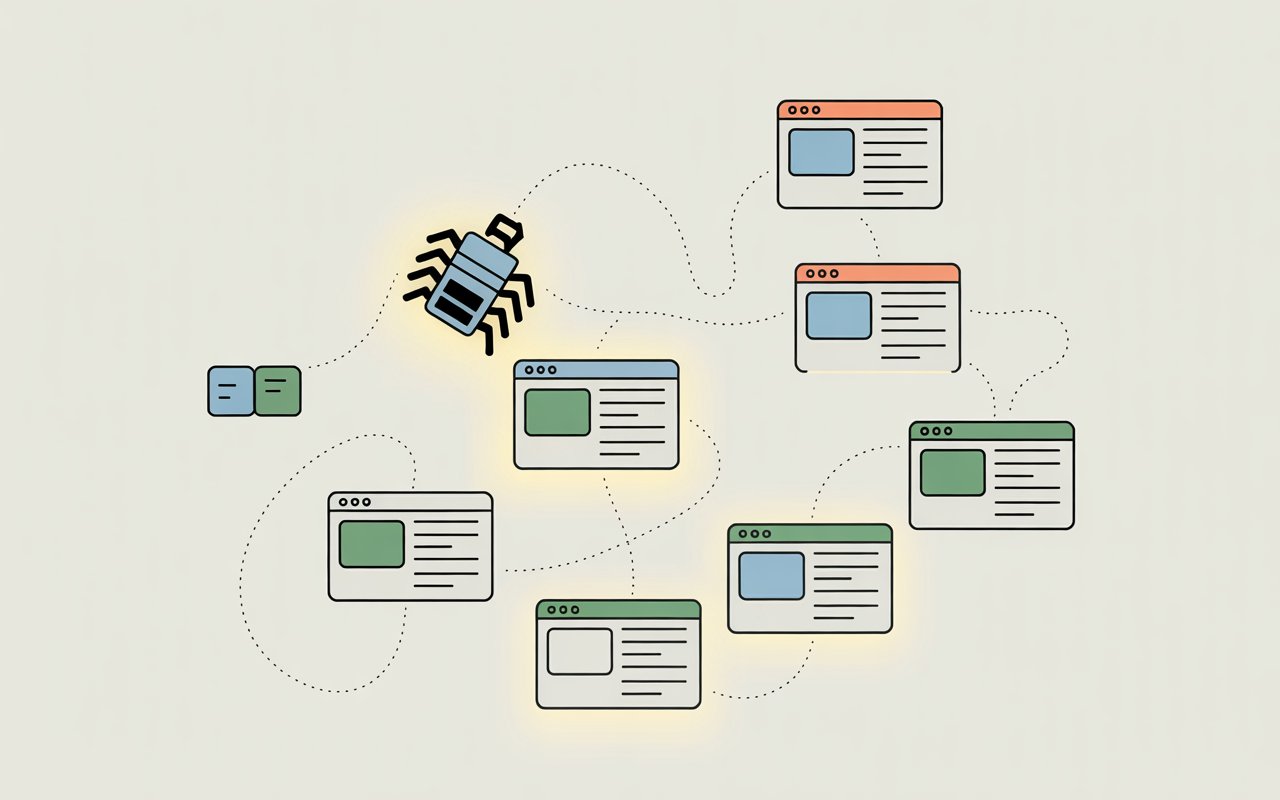
First is crawling. This is when Google’s bots scan the web and discover your page by following links or sitemaps.
At this stage, your page is only found. It is not saved or shown in search yet.
Next is indexing. Google looks at your content and tries to understand it.
If the page meets its quality standards, it gets added to Google’s index. Only pages in this index can appear in search results.
Then comes ranking. When someone searches, Google pulls pages from its index and orders them based on relevance and quality.
This decides where your page shows up, or if it shows up at all.
People often confuse these steps because they happen behind the scenes and don’t have clear signals. If your page isn’t visible, it’s easy to think indexing failed.
In reality, the page may not be crawled yet, or it may be indexed but not ranking well.
The 3-Step Process Google Uses
1. Crawling
Crawling is how Google finds your page in the first place. Google uses automated bots, often called Googlebot, to move across the web by following links from one page to another.
If no page links to your content, it becomes much harder for Google to discover it. This is why internal links matter because they guide Google directly to your new pages.
XML sitemaps also play a key role. They act like a roadmap, listing important URLs so Google doesn’t have to guess where to go.
A clean site structure makes this process faster and more reliable. Pages that are buried deep, disconnected, or blocked by robots.txt may never be crawled at all.
In simple terms, if Google can’t find your page easily, nothing else in the process can happen.
2. Processing & Rendering
Once Google finds your page, it doesn’t index it right away. It first tries to understand what’s on it. This step is called processing, and it often includes rendering.
Rendering means Google loads your page almost like a browser would, so it can see the final version of your content. This is especially important for sites that use JavaScript.
If key content only appears after scripts run, Google may delay processing until it can fully render the page.
During this stage, Google looks at your text, headings, images, and overall structure. It tries to figure out what your page is about and whether it provides useful information.
If content is missing, hidden, or hard to load, Google may struggle to understand it clearly. That can slow down or even stop the indexing process.
3. Indexing
Indexing is the final decision point. After understanding your page, Google decides whether it should be stored in its index. Not every page makes it through.
To qualify, your content needs to be clear, original, and valuable. Pages that are thin, duplicated, or low quality are often skipped. Technical signals also matter.
If your page has a “noindex” tag, is blocked by robots.txt, or has major errors, Google will not include it.
Even if everything is technically correct, Google may still choose not to index a page if it doesn’t see enough value compared to other content on the web.
This is why two pages can be crawled, but only one gets indexed.
Why Indexing Isn’t Instant
Google prioritization (not all pages are equal)
Google does not treat every page the same. It has to manage billions of URLs, so it prioritizes what to crawl and index first.
Pages from trusted, active websites are usually processed faster because Google expects them to provide consistent value.
New pages on unknown or inactive sites often wait longer in the queue. This is not random.
Google is trying to use its resources wisely by focusing on pages that are more likely to help users.
Crawl budget limitations
Every website has something called a crawl budget. This is the number of pages Googlebot is willing to crawl on your site within a certain time.
Larger, well-structured sites often get a higher budget. Smaller or slower sites may get less attention.
If your site has many low-value or duplicate pages, Google may spend time crawling those instead of your important content. This can delay indexing for new pages.
Managing your site structure and removing unnecessary pages helps Google focus on what matters.
New website trust factor
New websites don’t get instant trust. Google needs time to understand if your site is reliable and worth revisiting often.
Without backlinks, traffic, or consistent publishing, your pages may be crawled less frequently. This slows down indexing.
As your site grows and earns signals like links and engagement, Google starts to check it more often. Over time, this reduces delays.
Server performance and response times
Your website’s speed affects how Google interacts with it. If your server is slow, times out, or returns errors, Google may reduce how often it crawls your pages.
This is to avoid overloading your site. Fast, stable websites are easier for Google to process.
Clean code, quick loading times, and reliable hosting all help move your pages through the indexing process faster.
Content quality signals
Google does not index every page it crawls. It looks for signs that your content is useful, original, and worth showing to users.
Pages with thin content, duplication, or little value are often skipped. Even if a page is crawled quickly, it may not be indexed if it doesn’t meet quality standards.
On the other hand, strong content with clear intent, good structure, and helpful information is more likely to be indexed sooner.
This is one of the few areas you fully control, and improving it has a direct impact on your results.
What Happens After You Hit Publish
Discovery phase (how Google finds your page)
Once your page goes live, Google does not know it exists right away. It has to discover it first. This usually happens through internal links, external backlinks, or your XML sitemap.
If your new page is linked from an already indexed page, Google can find it faster. If no links are pointing to it, discovery can take much longer.
Submitting your sitemap in Google Search Console also helps by giving Google a direct list of your URLs.
Queueing for crawl
After discovery, your page is added to a crawl queue.
This is where timing starts to vary. Google schedules when to crawl your page based on priority signals like site quality, update frequency, and crawl budget.
Some pages are crawled within minutes. Others can sit in the queue for days or longer.
This delay is normal. It reflects how Google manages millions of pages at once.
Rendering delay (especially for JS-heavy pages)
When Google finally crawls your page, it may not process everything immediately.
If your site relies on JavaScript to display content, Google often needs extra time to render the page properly.
Rendering means loading the full version of your page, including content that appears after scripts run. This step can be delayed because it uses more resources.
If important content is hidden behind JavaScript, indexing can slow down or fail altogether.
Evaluation and decision-making
After rendering, Google evaluates your page. It looks at content quality, relevance, originality, and technical signals. It also compares your page to others on the same topic.
If your content adds value and is easy to understand, it has a higher chance of being indexed.
If it’s thin, duplicated, or unclear, Google may decide not to include it. This is the stage where your SEO efforts directly influence the outcome.
Possible outcomes
Indexed quickly
If your site is trusted and your content is strong, your page may be indexed soon after crawling.
This is more common on established websites with good internal linking and consistent updates.
Indexed later
Some pages take longer. Google may revisit and re-evaluate them before adding them to the index.
This delay does not always mean something is wrong. It often means your page is still being processed or waiting for stronger signals.
Not indexed
In some cases, Google chooses not to index the page at all.
This can happen due to low-quality content, duplication, technical issues, or lack of importance compared to other pages.
When this happens, improving the page and strengthening its signals gives you another chance on the next crawl.
Common Reasons Pages Aren’t Indexed Quickly
Weak or no internal links
If your page is not linked from other pages on your site, Google has a harder time finding it. Internal links act as clear paths that guide crawlers to your content.
Without them, your page may sit unnoticed, even if it exists in your sitemap. Pages that are deeply buried or isolated often get crawled less often.
Adding relevant internal links from existing, indexed pages can speed up both discovery and crawling.
No backlinks
Backlinks are links from other websites pointing to your page. They act as signals that your content is worth noticing.
When a page has no backlinks, Google has fewer reasons to prioritize it. This does not mean backlinks are required for indexing, but they can speed things up.
Even a few quality links can help Google find and trust your page faster.
Thin or duplicate content
Google aims to index pages that provide clear value. If your content is too short, lacks useful information, or closely matches other pages, it may be skipped.
Duplicate content creates confusion about which version should be indexed. Thin pages, on the other hand, may not meet quality thresholds.
Expanding your content with original insights, clear structure, and useful details increases your chances of getting indexed.
Technical issues (noindex, robots.txt blocks)
Some pages are blocked from indexing by design. A “noindex” tag tells Google not to include the page in search results.
The robots.txt file can also prevent crawlers from accessing certain pages.
In other cases, errors like broken pages, redirect loops, or incorrect canonical tags can interfere with indexing.
These issues are often overlooked but can completely stop your page from being indexed, no matter how good the content is.
Slow site speed
If your website is slow to load, Google may reduce how often it crawls your pages. Slow response times make it harder for Googlebot to process your site efficiently.
This can delay both crawling and indexing. Faster websites are easier for Google to handle, which helps move pages through the process more quickly.
Improving load speed, reducing unnecessary scripts, and using reliable hosting all make a difference.
Low domain authority
New or low-authority websites often face slower indexing.
Google takes time to build trust in a domain. Without strong signals like backlinks, consistent content, and user engagement, your site may not be crawled frequently.
This leads to delays in indexing new pages. As your site grows and gains credibility, Google begins to prioritize it more, and indexing becomes faster and more consistent.
How Long Indexing Usually Takes
Indexing timelines vary because Google processes pages based on priority, trust, and available resources, not a fixed schedule.
For new websites, indexing can take anywhere from several days to a few weeks because Google is still learning how often to crawl the site and whether the content is reliable.
In some cases, it can take even longer if the site has weak signals, few links, or limited content. For established websites, indexing is usually much faster.
New pages can be discovered and indexed within hours or a few days because Google already trusts the site and crawls it more frequently.
The reason timelines vary so widely comes down to multiple factors working together, including crawl budget, site structure, content quality, backlinks, and server performance.
A fast, well-linked, high-quality page on a trusted site will move through the process quickly, while a weak or isolated page may stay in the queue longer or be skipped entirely.
This is why there is no universal “indexing time.” Many people expect instant results after publishing or requesting indexing, but that expectation is a myth.
Google does not guarantee indexing at all, and speed is never promised.
A more realistic expectation is to monitor your page over several days to a few weeks, depending on your site’s strength.
Can You Speed Up Indexing?
Using Google Search Console (request indexing)
Requesting indexing through Google Search Console is one of the fastest ways to get Google’s attention.
When you use the URL Inspection tool and click “Request Indexing,” you’re asking Google to prioritize crawling that specific page.
This does not guarantee instant indexing, but it can move your page higher in the crawl queue.
It works best when the page is already accessible, properly linked, and free of technical issues. Think of it as a signal, not a shortcut.
Submitting XML sitemaps
An XML sitemap helps Google discover your pages more efficiently. It lists your important URLs in one place, making it easier for Googlebot to find new or updated content.
Submitting your sitemap through Google Search Console ensures Google is aware of your pages, even if they are not strongly linked yet.
However, a sitemap does not force indexing. It simply improves discovery and reduces the chances of pages being missed.
Improving internal linking
Internal links are one of the most effective ways to speed up indexing. When you link to a new page from existing, indexed pages, you create a direct path for Google to follow.
This helps with both discovery and prioritization. Strong internal linking also signals that the page is important within your site.
Pages with no internal links often get delayed or ignored, while well-linked pages are crawled more quickly.
Publishing high-quality, unique content
Content quality plays a direct role in whether a page gets indexed. Google looks for useful, original, and clear information.
If your page adds value and answers a real question, it is more likely to be indexed faster.
Thin, duplicated, or low-effort content often gets skipped.
Improving clarity, depth, and structure gives Google stronger reasons to include your page in its index.
Building early backlinks
Backlinks help Google discover your page and signal that it may be worth indexing. Even a few relevant links from other websites can speed up the process.
They act as external validation that your content matters.
While backlinks are not required for indexing, they can reduce delays, especially for new websites that lack authority.
Setting proper site structure
A clean and organized site structure makes it easier for Google to crawl and understand your content.
Pages should be easy to reach within a few clicks from the homepage. Clear navigation, logical categories, and consistent URL structures all help.
When your site is well-structured, Google can move through it efficiently, which improves both crawling and indexing speed.
What Google Doesn’t Tell You (But Matters)
Google doesn’t guarantee indexing
Google does not promise to index every page you publish. Even if your page is crawled and technically correct, it can still be left out of the index.
This is because Google filters content based on usefulness and relevance. Many pages across the web are discovered but never stored.
Understanding this changes your approach. Instead of assuming every page will be indexed, you focus on making each page worth including.
Indexing ≠ ranking
Getting indexed is only the first step. It simply means your page is eligible to appear in search results.
Ranking is a separate process where Google decides where your page should show compared to others.
A page can be indexed but still not appear on the first few pages of search results.
This often leads to confusion, as people think indexing failed when the real issue is low ranking.
Some pages are intentionally ignored
Google actively chooses to ignore certain pages. This is not always due to errors. Pages with duplicate content, very similar topics, or little added value are often skipped.
In many cases, Google sees no reason to include multiple versions of the same idea. It selects the strongest page and ignores the rest.
This means publishing more pages does not always lead to more indexed pages. Quality and uniqueness matter more than quantity.
Quality and usefulness matter more than speed
Speed is not the main goal for Google. Its priority is showing helpful and reliable content to users.
A fast-indexed page with weak content will not perform well and may even be dropped later.
On the other hand, a slower page with strong, useful content has a better chance of being indexed and staying indexed.
This puts control back in your hands. When you focus on clarity, depth, and real value, you improve both your indexing success and long-term results.
Signs Your Page Is Moving Through the Process
URL inspection tool insights
The URL Inspection tool in Google Search Console shows you exactly where your page stands.
You can see if the page has been discovered, last crawled, and whether it is indexed. If Google has already crawled the page, that’s a strong sign the process is moving forward.
You may also see messages like “URL is on Google” or “URL is not on Google,” along with reasons.
This tool gives you direct feedback, so you’re not guessing what’s happening behind the scenes.
Crawled but not indexed status
If your page shows as “Crawled – currently not indexed,” it means Google has already visited and read your page but has not added it to the index yet. This is a common stage.
It often means Google is still evaluating the content or comparing it with other pages. It can also signal that improvements may be needed.
Indexed but not ranking
Sometimes your page is indexed, but you still can’t find it in search results. This usually means it is ranking very low.
The page exists in Google’s index, but it is not strong enough to compete yet. This is not an indexing problem. It is a ranking issue.
Improving content quality, relevance, and links can help move it up over time.
Impressions appearing in Search Console
One of the clearest signs of progress is when your page starts getting impressions in Google Search Console.
Impressions mean your page is being shown in search results, even if no one clicks on it yet. This confirms that your page is indexed and entering the ranking phase.
As impressions grow, it shows that Google is testing your page for different searches. From here, small improvements can lead to better visibility and clicks.
When You Should Be Concerned
Page not indexed after several days or weeks
A short delay is normal, but long delays can signal a problem. On newer sites, waiting one to three weeks can still be within a normal range.
On established sites, most pages should be indexed within a few days. If your page is still not indexed after this window, it is worth investigating.
Check if the page is discoverable, linked internally, and free from technical blocks. Long delays often point to weak signals or low priority rather than a single error.
Repeated crawl but no indexing
If tools like Google Search Console show that your page has been crawled multiple times but still isn’t indexed, this is a stronger warning sign.
It usually means Google has reviewed the page and decided not to include it.
This often happens with thin content, duplication, or pages that don’t add enough value compared to others.
At this stage, simply waiting won’t fix the issue. Improving the content and strengthening internal links is usually required.
Sudden deindexing
If a page was indexed before and suddenly disappears from search results, something has changed.
This could be due to technical issues like a “noindex” tag, blocked access, or server errors.
It can also happen if the content quality drops or becomes outdated compared to competing pages.
Sudden deindexing should be checked quickly, as it often points to a clear and fixable problem.
Pattern of low indexing across your site
One page failing to index is common. Many pages failing to index is a pattern. If large portions of your site are not being indexed, the issue is likely site-wide.
This can be caused by poor site structure, low overall content quality, or limited crawl budget. It may also indicate that Google does not see enough value in the site as a whole.
In this case, focusing on improving overall quality, structure, and authority is more effective than fixing pages one by one.
Best Practices for Consistent Indexing
- Publish with internal links already in place
Link to your new page from existing, indexed pages before or right after publishing. This helps Google find it faster and signals that the page matters within your site. - Maintain content quality standards
Focus on clear, useful, and original content. Pages that solve a problem or answer a question well are more likely to be indexed and kept in the index. - Keep technical SEO clean
Make sure there are no blocking issues like “noindex” tags, robots.txt restrictions, broken pages, or incorrect canonical tags. Even small technical errors can stop indexing completely. - Update and refresh older content
Revisit existing pages and improve them over time. Updating content signals to Google that your site is active and worth crawling more often, which helps with faster indexing. - Monitor indexing regularly
Use tools like Google Search Console to track which pages are indexed and identify issues early. Regular checks help you fix problems before they slow down your growth.
Final Thoughts
Indexing is not instant. It’s a process where Google discovers, understands, and decides if your page deserves a place in its index.
Delays are normal, but they are not random.
When you focus on clear structure, strong content, and clean technical setup, you give your pages the best chance to move through the process faster.
Stay patient, but stay proactive. Improve what you control, track your progress, and let Google do the rest.
To improve visibility, learn how Google discovers and indexes your content properly.
FAQs
Google has seen your page but decided it’s not strong enough yet. This is usually due to low-quality, duplicate, or unclear content.
It can help, but it’s not guaranteed. It only signals Google to review your page sooner.
Wait a few days for established sites and up to a few weeks for new sites before investigating.
Yes, if the page doesn’t provide enough value or has weak signals, Google may choose not to index it.
No. Google chooses what to index based on quality, relevance, and technical factors.





I’m Alex Crawley, an SEO specialist with 7+ years of hands-on experience helping new websites get indexed on Google. I focus on simplifying technical indexing issues and turning confusing problems into clear, actionable fixes.















