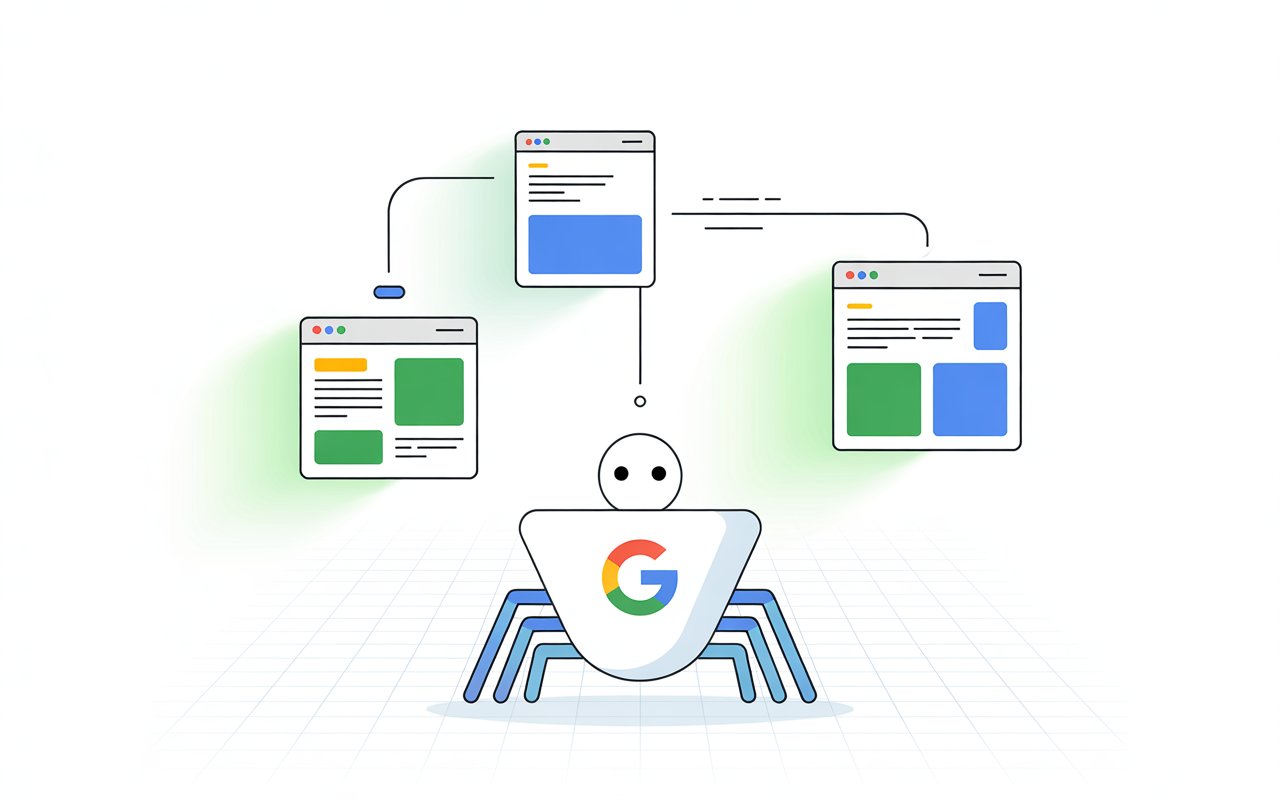
Submitting a page for indexing simply means asking Google to take a look at your content and consider adding it to its search results.
You can do this using tools like Google Search Console through the URL Inspection tool, or by submitting your sitemap.
But here’s the part most people miss: this is only the starting point. Clicking “Request Indexing” doesn’t mean your page will show up on Google right away.
Behind the scenes, Google still needs to crawl, process, and evaluate your page before deciding if it deserves a spot in the index.
Sometimes this happens quickly. Often, it doesn’t.
To get more clarity on this, learn how Google stores and shows your website in search results.
Step 1: Google Receives the Request
What Happens When You Click “Request Indexing”
When you click “Request Indexing” inside Google Search Console, you’re not forcing Google to index your page.
You’re simply sending a signal that says, “This page is new or updated, please take a look.”
At that moment, Google adds your URL to a queue for crawling. This queue is not instant or guaranteed. It’s just a priority hint.
Google’s systems will decide when to send a crawler (Googlebot) to visit your page based on many factors, including site quality and crawl demand.
Once your page is picked from that queue, the process moves forward into crawling, where Google actually visits and reads your content.
Manual Submission vs Automatic Discovery
There are two main ways Google finds your pages:
Manual submission happens when you actively request indexing or submit a sitemap. This gives Google a direct signal that your page exists and may need attention.
Automatic discovery happens without you doing anything. Googlebot finds your page by following links from other pages, either on your site or from external websites.
In most cases, Google will eventually discover your content on its own. Submitting a page simply speeds up awareness. It does not replace the normal crawling process.
Submission Does NOT Guarantee Indexing
This is where many people get it wrong.
Requesting indexing does not mean your page will be indexed. It only increases the chance that Google will review it sooner.
Google still decides whether your page is worth adding to its index after crawling and evaluating it.
Even after submission:
- Your page might be crawled but not indexed
- It might be delayed for days or weeks
- It might be ignored if quality or technical issues exist
Google’s index is selective. It only stores pages it considers useful and accessible.
Step 2: Crawling Begins
What Googlebot Does
Once your page is selected from the queue, Googlebot visits your URL. This is called crawling.
Googlebot loads your page much like a browser would. It reads the HTML, follows links, and gathers key information about your content.
If your page uses JavaScript, Google may also render it to see the final version that users experience.
During this step, Google is not deciding rankings yet. It’s simply collecting data.
Think of it as Google taking a snapshot of your page so it can understand what it contains and how it connects to the rest of the web.
How Crawl Budget Can Affect Speed
Not every page gets crawled at the same speed. Google assigns each site a crawl budget, which is the number of pages it is willing to crawl within a certain time.
If your site is new or has low authority, your crawl budget is usually smaller. That means fewer pages are crawled, and it may take longer for new URLs to be visited.
On the other hand, well-established sites with strong signals tend to get crawled more frequently. This is why some pages get indexed within hours, while others take days or even weeks.
Crawl budget isn’t something you directly control. But your site quality and structure strongly influence it.
Factors That Influence Crawling
Site Authority
Websites that are trusted and frequently updated are crawled more often. If your site has strong backlinks and consistent publishing activity, Google sees it as worth revisiting.
New or low-trust sites may experience slower crawling because Google is still learning how valuable they are.
Internal Linking
Internal links act like pathways for Googlebot. When your page is linked from other indexed pages, it becomes easier to find and crawl.
If a page has no internal links pointing to it, it becomes “orphaned.” These pages are much harder for Google to discover and may be ignored completely.
Clear, logical linking helps Google move through your site faster and more efficiently.
Server Performance
Your website’s speed and stability directly affect crawling.
If your server is slow or frequently down, Googlebot may reduce how often it visits your site. This is done to avoid overloading your server.
Fast, reliable hosting allows Google to crawl more pages in less time. Slow response times, errors, or timeouts can delay or even stop crawling altogether.
Step 3: Page Rendering & Processing
How Google Renders Your Page
After crawling, Google moves to the next step: rendering. This is where your page is processed to understand what users actually see.
Google uses a system called the Google Web Rendering Service to load your page. It reads the raw HTML first, then processes CSS and JavaScript to build the final layout.
If your content relies heavily on JavaScript, this step becomes critical. Google may need extra time to fully render the page.
In some cases, poorly implemented scripts can block or hide content, which means Google never sees important parts of your page.
The goal here is simple: Google wants to view your page exactly like a user would.
Why Mobile-Friendliness Matters
Google primarily uses mobile-first indexing. This means it evaluates your page based on how it performs on mobile devices, not desktop.
If your site is hard to use on a phone (text too small, buttons too close, layout broken), Google may struggle to properly process and trust your content.
A clean, responsive design ensures that:
- Content is easy to read
- Elements load correctly
- Nothing important is hidden or cut off
If your mobile version is weak, it can slow down or negatively affect how your page is processed and indexed.
Technical Checks Google Performs
Before moving forward, Google runs several important checks to decide whether your page can be indexed.
Robots.txt
The robots.txt file tells search engines which parts of your site they are allowed to crawl.
If your page is blocked in robots.txt, Googlebot may not access it at all. In that case, your page won’t move forward in the indexing process.
Even a small mistake here can stop indexing completely.
Noindex Tags
A noindex tag is a direct instruction telling Google not to include a page in its index.
If this tag is present in your page’s HTML, Google will respect it, even if you requested indexing manually.
This is a common issue on new or staging pages that were never updated before publishing.
Canonical Tags
Canonical tags tell Google which version of a page is the “main” one.
If your page points to another URL as canonical, Google may choose to index that other page instead of yours.
This is useful for avoiding duplicate content. But if used incorrectly, it can prevent your intended page from being indexed.
Step 4: Content Evaluation
How Google Analyzes Content Quality
Once your page is fully processed, Google evaluates the content itself. This is where it decides if your page is useful enough to keep in its index.
Google doesn’t just scan for keywords. It looks at meaning, structure, and usefulness.
Its systems try to understand what your page is about and whether it helps someone searching for that topic.
If your content is clear, helpful, and focused, it moves forward. If it’s thin, confusing, or adds no real value, it may be ignored, even if everything else is technically correct.
Originality
Google prioritizes unique content.
If your page repeats what already exists without adding anything new, it becomes easy for Google to skip it.
This includes copied content, lightly rewritten articles, or pages that say the same thing as competitors.
Original content doesn’t mean reinventing the topic. It means adding your own value, like clear explanations, better structure, or insights that improve understanding.
If your page gives users a reason to choose it over others, it stands a much better chance of being indexed.
Relevance to Search Intent
Your content must match what the user is actually looking for.
Google tries to understand the intent behind a search. For example, someone searching “how to index a page” wants steps and clarity and not a long, unrelated discussion.
If your page answers the query directly and stays focused, Google sees it as relevant. If it drifts off-topic or misses the main question, it loses value quickly.
Clear headings, direct answers, and logical flow all help signal strong relevance.
Keyword Usage (Natural vs Spammy)
Keywords still matter, but only when used naturally.
Google expects to see terms related to your topic. These help confirm what your page is about. But overusing them can do more harm than good.
If your content feels forced or repetitive, it may be flagged as low quality. This is often called keyword stuffing.
The best approach is simple: write naturally. Use keywords where they fit, not where they feel forced. If the content reads well to a human, it usually reads well to Google.
The Role of E-E-A-T
Google also looks at trust signals, often referred to as E-E-A-T (Experience, Expertise, Authority, Trust).
- Experience: Does the content reflect real knowledge or use?
- Expertise: Does the author understand the topic well?
- Authority: Is the site recognized as a reliable source?
- Trust: Is the information accurate and dependable?
These signals help Google decide if your content can be trusted.
You don’t need to be a big brand to demonstrate this. Clear writing, accurate information, and a focused topic already build strong trust signals.
Step 5: Indexing Decision
What It Means to Be “Indexed”
At this stage, Google decides whether your page should be stored in its index. If it is indexed, it becomes eligible to appear in search results.
Indexing does not mean your page will rank. It simply means Google has accepted your page as worth keeping and may show it when relevant.
If your page is not indexed, it won’t appear in search at all, no matter how well it’s written.
Why Google May Choose NOT to Index Your Page
Even after crawling and evaluating your content, Google may still decide to exclude it.
This is more common than most people think.
Here are the main reasons:
Thin Content
Pages with very little useful information often get ignored.
If your content is too short, lacks depth, or doesn’t fully answer the topic, Google may see it as incomplete. Pages that don’t provide clear value rarely make it into the index.
Adding more words alone won’t fix this. The content must actually help the reader.
Duplicate Content
If your page is too similar to another page, either on your site or elsewhere, Google may choose not to index it.
Instead, it selects one version as the main page and ignores the rest. This helps avoid cluttering search results with repeated content.
Duplicate issues often come from:
- Similar blog posts targeting the same topic
- URL variations
- Reused or lightly rewritten content
Low-Value Pages
Some pages are technically fine but still offer little value.
Examples include pages created only to target keywords, pages with generic information, or content that doesn’t stand out from competitors.
Google aims to keep its index useful. If your page doesn’t add something meaningful, it may be skipped.
Crawl Issues
Sometimes the problem isn’t the content, but it’s access.
If Google struggles to properly crawl your page, indexing may fail. Common issues include:
- Slow loading times
- Server errors
- Broken pages
- Blocked resources
Even small technical problems can prevent your page from being fully processed.
Step 6: Ranking (Optional but Important)
Indexing and ranking are not the same, and understanding this clears up a lot of confusion.
When your page is indexed, it simply means Google has stored it and can show it in search results.
Ranking is where your page actually appears, and that depends on how it compares to other pages targeting the same topic.
An indexed page may still not rank well, or at all, if it doesn’t meet certain quality and relevance thresholds.
This often happens when the content is weaker than competing pages, doesn’t fully match search intent, lacks strong internal or external links, or provides a poor user experience.
Google uses many signals to decide rankings, including how helpful and relevant your content is, how trustworthy your site appears, how other pages link to it, and how users interact with it.
It also considers factors like page speed, mobile usability, and overall site structure. No single factor guarantees rankings.
Instead, Google weighs multiple signals together to determine which pages deserve the top positions.
Getting indexed gets you in the game, but ranking is what drives traffic, and that requires stronger content, better signals, and consistent improvement.
How Long Does the Process Take?
The time it takes can vary widely depending on your site and the page itself.
Typical Timelines
- Minutes to days (rare):
This usually happens on high-authority websites that are crawled frequently. If your site is trusted and updated often, Google may process new pages quickly. - Several days to weeks (common):
This is the normal range for most websites, especially newer ones. Google needs time to crawl, process, and evaluate your page before making a decision.
What Affects Indexing Speed
- Domain Authority
Strong, trusted websites are crawled more often. If your site has built credibility over time, new pages are usually picked up faster. New sites tend to wait longer because Google is still evaluating their reliability. - Publishing Frequency
Sites that publish consistently tend to get crawled more regularly. When Google sees frequent updates, it learns to check your site more often, which can speed up indexing. - Backlinks
Links from other websites act as discovery signals. If your page gets backlinks, especially from trusted sites, Google is more likely to find and crawl it sooner.
How to Check If Your Page Is Indexed
The fastest way to check indexing is through Google Search Console.
Use the URL Inspection tool and paste your page URL. You will see if the page is indexed, not indexed, or has issues.
It also shows useful details like the last crawl date and any errors. This is the most reliable method because the data comes directly from Google.
Another simple method is the “site:” search operator. Type site:yourdomain.com/page-url into Google.
If your page appears, it is indexed. If it doesn’t, it is likely not indexed or still being processed.
Don’t just check if the page appears. Look at how it appears. The title, URL, and description should match your page. If they don’t, Google may not have fully processed it yet.
If your page is missing completely, that’s your signal to investigate further.
Go back to Search Console and check for crawl issues, content problems, or technical blocks.
What to Do If Your Page Isn’t Indexed
If your page isn’t indexed, don’t guess. There is always a reason. The goal is to identify the issue and fix it step by step.
Improve Content Quality
Start with the content itself. If your page doesn’t provide clear value, Google has no reason to index it.
Make sure your content answers the topic directly. Add depth where needed. Remove vague or repetitive sections. Focus on clarity, usefulness, and structure.
Ask a simple question: Would this page genuinely help someone? If the answer is unclear, improve it before doing anything else.
Strengthen Internal Linking
Your page should not exist in isolation. It needs clear paths from other pages on your site.
Add internal links from relevant, already indexed pages. This helps Google find your page faster and understand its importance.
Use natural anchor text. Keep it relevant. A well-linked page is easier to crawl and more likely to be indexed.
Build Backlinks
Backlinks act as external signals that your page matters.
When other websites link to your content, it increases trust and visibility. This can speed up crawling and improve your chances of indexing.
You don’t need hundreds of links. A few relevant, quality backlinks can make a noticeable difference.
Fix Technical Issues
Even strong content won’t be indexed if Google can’t access it properly.
Check for common problems:
- Blocked pages in robots.txt
- Noindex tags
- Slow loading speed
- Broken pages or server errors
Use Google Search Console to identify these issues. Fixing them removes barriers that stop indexing.
Request Indexing Again (When Appropriate)
Once you’ve made improvements, you can request indexing again.
Use the URL Inspection tool in Google Search Console. This sends a fresh signal to Google to review your page.
Avoid repeating this step without changes. If nothing has improved, the result will likely be the same.
Common Mistakes to Avoid
Indexing issues are often caused by simple mistakes. Fixing these can make a bigger difference than any advanced tactic.
Submitting Low-Quality or Incomplete Content
Publishing too early is one of the most common problems.
If your page is thin, unfinished, or unclear, Google may crawl it once and decide it’s not worth indexing. Getting a second chance is harder than getting it right the first time.
Always publish complete, useful content. Make sure it answers the topic properly before you request indexing.
Overusing Indexing Requests
It’s tempting to keep clicking “Request Indexing,” especially when nothing happens.
But this doesn’t speed things up. Google treats it as a signal, not a command. Repeated requests without changes don’t improve your chances.
Instead, focus on fixing the page first. Then request indexing again only when something meaningful has improved.
Ignoring Technical SEO Issues
Technical problems can quietly block your page from being indexed.
A misplaced noindex tag, a blocked page in robots.txt, or slow loading speeds can stop the process completely.
These issues are often overlooked because the page looks fine to users.
Use Google Search Console to check for errors. Fixing technical barriers is often the fastest way to resolve indexing problems.
Publishing Too Many Pages Too Quickly
Creating a large number of pages in a short time can slow everything down.
Google may not crawl all of them right away, especially if your site is new or has low authority. This spreads your crawl budget thin and delays indexing.
It’s better to focus on fewer, high-quality pages. Build consistency first, then scale.
Pro Tips to Speed Up Indexing
- Submit sitemap updates
Keep your sitemap updated and resubmit it through Google Search Console when you publish new content. This helps Google discover your pages faster and understand your site structure. - Share content on social platforms
Sharing your content increases visibility. While social signals don’t directly guarantee indexing, they can help your page get discovered quicker through increased activity and traffic. - Get early backlinks
A few relevant backlinks can speed up crawling. When other sites link to your page, it signals that your content is worth checking, which can lead to faster indexing. - Link from indexed pages
Add internal links from pages that are already indexed. This creates a clear path for Google to find and crawl your new content without delay. - Keep site structure clean
Use a simple, logical structure. Avoid broken links, deep page nesting, and cluttered navigation. A clean structure makes it easier for Google to crawl your site efficiently.
Final Thoughts
Indexing is not a button you press. It’s a process your page has to pass through.
Focus on what you can control. Create useful content, fix technical issues, and make your site easy to crawl. That’s what moves pages forward.
Stay consistent. Improve where needed, give it time, and monitor your results using Google Search Console.
If you want consistent indexing, understand the basics of how Google handles new websites.
FAQs
No. It only asks Google to review your page. Ranking depends on quality, relevance, and competition.
There’s no fixed limit, but repeated requests without changes don’t help. Only request again after improving the page.
Google likely found low value, duplication, or quality issues. It may also prefer another similar page instead.
You can help it along, but not force it. Improve content, add internal links, and get backlinks to increase your chances.
No. Focus on important pages. Let Google discover the rest naturally through your site structure.





I’m Alex Crawley, an SEO specialist with 7+ years of hands-on experience helping new websites get indexed on Google. I focus on simplifying technical indexing issues and turning confusing problems into clear, actionable fixes.















