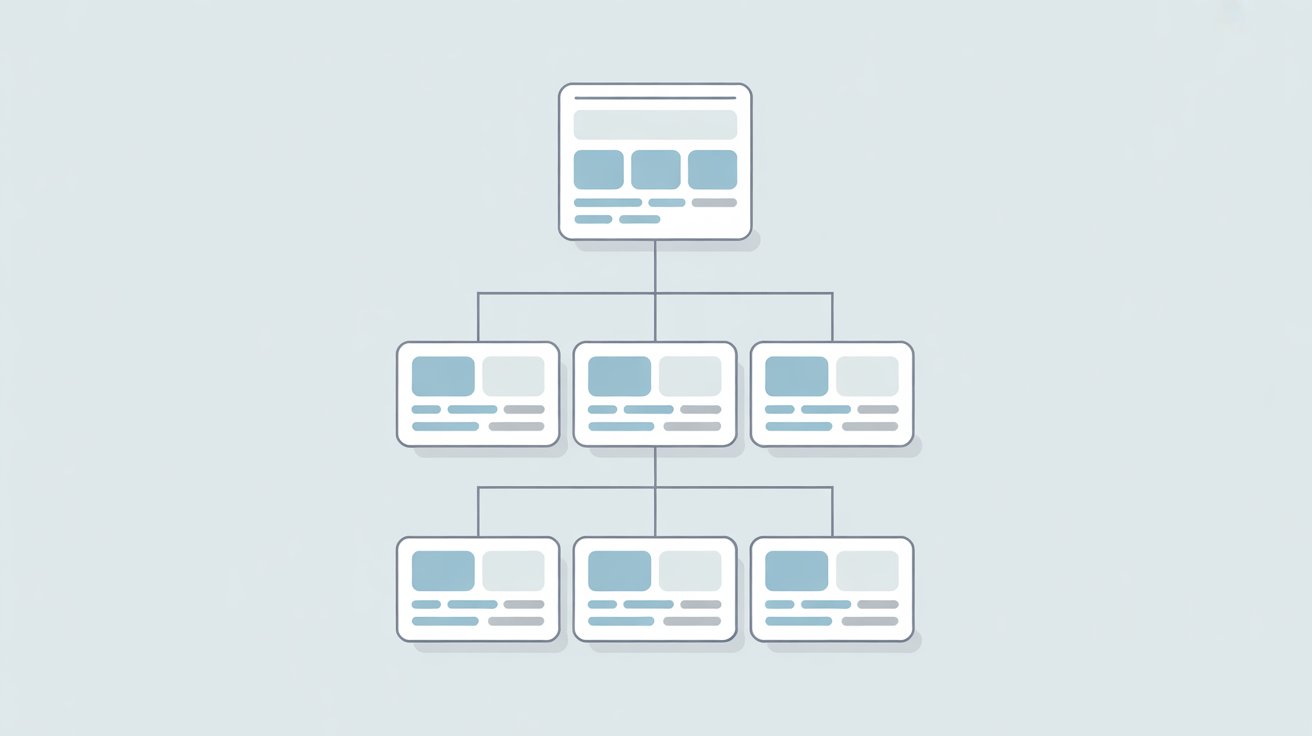
Getting your pages indexed means search engines like Google can find, store, and show them in search results.
If a page isn’t indexed, it simply won’t appear, no matter how good it is.
Some pages get indexed quickly, while others sit unnoticed.
This usually comes down to how easy they are to discover and how important they seem to search engines.
That’s where internal linking comes in.
By smartly connecting your pages, you help search engines find your content faster and understand which pages matter most.
If nothing is working, follow this proven process to fix indexing problems.
What Do We Mean By Internal Linking?
Internal linking is the process of linking one page on your website to another page on the same site.
These links help users move around easily. They also guide search engines like Google to find and understand your content.
Internal links are different from external links. Internal links keep users on your website. External links point to pages on other websites.
Both are useful, but internal links are key for building your site structure and improving indexing.
You can find internal links in several places. Navigation menus link to main pages, like your homepage or categories.
In-content links appear inside blog posts and connect related topics. Footer links often repeat important pages. You may also see links in sidebars or “related posts” sections.
Each type of internal link plays a role. Navigation helps users explore. Contextual links add meaning and show how pages connect.
Together, they create a clear path for both users and search engines to follow.
How Internal Linking Helps with Faster Indexing
Helps Search Engine Bots Discover New Pages
Search engines like Google use automated bots to crawl the web. These bots follow links to find new content. If a page has no links pointing to it, it becomes hard to discover.
Internal links solve this by giving bots clear paths to follow. When you link to a new page from an already indexed page, you increase the chances of it being found quickly.
The easier it is to reach a page, the faster it can be crawled and indexed.
Passes Authority (Link Equity) Across Pages
Not all pages on your site carry the same weight. Some pages, like your homepage or popular posts, have more authority.
Internal links allow you to share that value with other pages. This is often called link equity.
When you link from a strong page to a new or weaker page, you signal that it has importance.
This helps search engines take it more seriously and can speed up indexing. It also improves the chances of that page performing better in search results.
Reinforces Site Structure and Content Relationships
Internal linking helps search engines understand how your content is connected. When related pages link to each other, it creates clear topic groups.
This makes it easier for search engines to see what your site is about. A strong structure reduces confusion and improves crawl efficiency.
It also helps users find relevant content without effort. When both users and search engines can move through your site smoothly, indexing becomes more consistent.
Reduces Orphan Pages
Orphan pages are pages with no internal links pointing to them. These pages are often missed by search engine bots.
Even if they exist on your site, they may not get indexed at all. Internal linking prevents this problem by ensuring every page is connected.
Adding even one relevant link can make a big difference. It brings the page into your site’s structure and makes it visible.
This simple step helps ensure all valuable content has a chance to be indexed.
How Search Engines Use Internal Links
How Crawlers Navigate Websites
Search engines like Google use bots (often called crawlers or spiders) to scan websites. These bots don’t “see” pages the way humans do.
They move from one page to another by following links. Internal links act as clear directions.
If your pages are well-connected, crawlers can move through your site without getting stuck. This improves how quickly and how often your content is discovered.
Crawl Paths and Link Discovery
Every internal link creates a path. Crawlers follow these paths to find new and updated pages. If a page is linked from multiple places, it becomes easier to discover.
If it’s buried or only linked once, it may take longer to find. Strong internal linking creates multiple entry points to the same page.
This increases the chances of faster crawling and indexing. It also helps ensure important pages are not missed.
Importance of Crawl Depth
Crawl depth refers to how many clicks it takes to reach a page from the homepage. Pages that are closer to the homepage are usually crawled more often.
Pages that are deeper in the site structure may be crawled less frequently. Keeping important pages within a few clicks improves visibility.
Internal links help reduce this depth by creating shortcuts. The shorter the path, the easier it is for crawlers to reach the page.
How Internal Links Signal Page Importance
Search engines use internal links to understand which pages matter most. Pages with more internal links pointing to them are often seen as more important.
Links from strong or high-traffic pages carry more weight. This helps search engines decide which pages to prioritize for crawling and indexing.
Clear linking also helps them understand what each page is about. When your links are relevant and purposeful, your site becomes easier to interpret and rank.
Best Practices for Internal Linking
Link to New Pages Immediately
When you publish a new page, don’t wait for search engines to find it on their own. Add internal links to it from pages that are already indexed.
This gives crawlers a direct path to follow. Pages that are already known to Google are crawled more often, so linking from them increases your chances of faster discovery.
Even one or two strong internal links can make a noticeable difference in how quickly a new page gets indexed.
Use Relevant Anchor Text
Anchor text is the clickable part of a link. It tells both users and search engines what the linked page is about. Clear, descriptive anchors help set the right expectations.
Avoid vague phrases like “click here.” Instead, use words that match the topic of the page you’re linking to.
Keep it natural. Overloading keywords can do more harm than good. The goal is clarity, not manipulation.
Keep Important Pages Close to the Homepage
Pages that are closer to your homepage are easier to find. They usually get crawled more often and faster.
This is known as reducing crawl depth. If a page takes too many clicks to reach, it may be seen as less important. Internal links help solve this by creating shortcuts.
Link to key pages from high-level pages like your homepage, category pages, or top-performing posts.
This keeps them within reach and improves indexing speed.
Add Links Within Content (Contextual Links)
Links placed inside your content carry more meaning than links in menus or footers. These are called contextual links.
They connect ideas in a natural way and help search engines understand the relationship between pages.
When a link appears within relevant text, it sends a stronger signal about the topic of the linked page.
It also improves user experience by guiding readers to helpful, related information at the right moment.
Fix Orphan Pages
Orphan pages are pages with no internal links pointing to them. Search engines often struggle to find these pages, which can delay or prevent indexing.
The fix is simple. Identify these pages and link to them from relevant parts of your site. This could be from blog posts, category pages, or even navigation menus.
Once connected, the page becomes part of your site’s structure and is much easier to crawl and index.
Common Internal Linking Mistakes to Avoid
Overlinking on a Single Page
Adding too many internal links to one page can do more harm than good. It makes the page harder to read and weakens the value passed through each link.
Search engines like Google may also struggle to understand which links matter most. Focus on quality over quantity.
Only include links that add real value and help users move forward. A clean, focused linking approach is easier to crawl and more useful for readers.
Using Generic Anchor Text (“Click Here”)
Generic anchor text gives no useful information. It doesn’t tell users or search engines what the linked page is about.
This creates confusion and weakens the connection between pages. Descriptive anchor text solves this problem.
It provides clear context and improves how search engines interpret your content. Always choose words that match the topic of the page you’re linking to.
Linking Only to Top-Level Pages
Many sites repeatedly link to the same main pages, like the homepage or category pages. While these are important, ignoring deeper pages creates an imbalance.
Valuable content further down your site may be overlooked. Internal linking should support your entire site, not just the top layer.
Spread links across blog posts, guides, and other deeper pages to improve discovery and indexing.
Broken Internal Links
Broken links lead to pages that no longer exist. When users click them, they hit an error page.
This creates a poor experience and disrupts crawling. Search engines waste time following links that go nowhere.
Over time, this can slow down how your site is crawled.
Regularly check for broken links and fix or remove them. Keeping your links clean helps maintain a smooth crawl path.
Ignoring Deep Pages
Deep pages are those buried several clicks away from the homepage. These pages often get less attention, even if they contain valuable content.
Without proper internal links, they may not be crawled often. This slows down indexing and limits visibility. Use internal links to bring these pages closer.
Link to them from stronger, higher-level pages to improve access and ensure they are not missed.
Internal Linking Strategies That Speed Up Indexing
Hub-and-Spoke (Topic Cluster) Model
The hub-and-spoke model organizes your content around a main topic. A central “hub” page covers the broad subject, while “spoke” pages go deeper into related subtopics.
Each spoke links back to the hub, and the hub links out to all spokes. This creates a strong, connected structure.
Search engines like Google use these links to understand how your content fits together. It also makes crawling easier because bots can move between related pages without gaps.
This structure improves both discovery and indexing speed.
Updating Old Posts with Links to New Content
Older pages that are already indexed and trusted can help new pages get noticed faster.
When you publish new content, go back to relevant older posts and add internal links to it. This gives search engines a direct path from known pages to new ones.
It also keeps your older content fresh and useful. Even small updates like this can speed up how quickly a new page is found and indexed.
Creating “Recent Posts” or “Related Posts” Sections
Sections like “recent posts” or “related posts” automatically link to other pages on your site. These sections increase internal link coverage without much effort.
They help users discover more content and keep them engaged longer. For search engines, they create extra crawl paths.
This improves the chances of new or less visible pages being found. When used correctly, these sections support both user experience and faster indexing.
Using Breadcrumb Navigation
Breadcrumbs show users where they are on a site. They usually appear at the top of a page and link back to higher-level pages.
For example, a blog post may link back to its category and homepage. These links are simple but powerful. They create clear paths for both users and search engines.
Breadcrumbs also reinforce site structure, making it easier to understand how pages are connected. This helps improve crawl efficiency and indexing.
Linking from High-Authority Pages
Some pages on your site carry more weight than others. These are often pages with strong traffic, backlinks, or consistent engagement.
Linking from these pages to newer or weaker pages passes value and attention. It signals that the linked page is important.
Search engines are more likely to crawl and index pages that are linked from strong sources.
Identifying and using these high-authority pages can speed up indexing in a reliable way.
How to Audit Your Internal Links
Use Tools Like Google Search Console
Start with Google Search Console. It shows how search engines view your site. The “Links” report highlights which pages receive the most internal links.
This helps you spot pages that are getting attention and those that are being ignored.
If an important page has very few internal links, it may struggle to get indexed or crawled often. This tool gives you a clear starting point for fixing gaps.
Check Crawl Stats and Coverage Reports
The “Crawl Stats” and “Pages” (coverage) reports show how often your site is being crawled and which pages are indexed.
You can see which pages are discovered, which are excluded, and why. If a page is marked as “discovered but not indexed,” it may not have enough internal links pointing to it.
If it’s “crawled but not indexed,” the issue could be quality or structure. These reports help you connect indexing problems directly to your internal linking setup.
Identify Orphan Pages and Weak Link Structures
Orphan pages are one of the biggest indexing issues. These are pages with no internal links pointing to them. Search engines often miss them completely.
You can find these pages by comparing your sitemap with your crawl data using SEO tools. Once identified, link to them from relevant pages.
Also, look for weak structures, such as pages that only have one internal link or are buried too deeply.
Strengthening these connections improves visibility and crawl access.
Analyze Internal Link Distribution
Not all pages should have the same number of internal links. Your most important pages should receive more links.
This signals their value to search engines like Google. Review how your links are distributed across the site. If too many links point to low-value pages, you dilute your structure.
If key pages are underlinked, they may be overlooked. Adjust your links so they support your priorities.
This makes your site easier to crawl and helps important pages get indexed faster.
How Many Internal Links Should You Use?
There is no fixed number of internal links you should use on a page. Search engines do not set a strict limit. What matters most is relevance.
Each link should serve a clear purpose and guide the reader to useful, related content. Adding links just for the sake of SEO can make a page feel cluttered and harder to follow.
A good approach is to include links where they naturally fit within the content. This keeps the page clean while still helping search engines understand how your pages connect.
You also need to balance usability and SEO. Too few links can make it harder for search engines to discover deeper pages.
Too many links can dilute their value and confuse both users and crawlers.
The goal is to create a smooth experience where readers can easily explore more without feeling overwhelmed.
Always prioritize the user first. If a link helps someone learn more or take the next step, it’s worth including.
When your content is easy to navigate and makes sense to real people, search engines are more likely to crawl and index it effectively.
Key Takeaways
- Internal linking helps search engines like Google discover your pages faster
- A strong site structure improves how quickly your content gets indexed
- Contextual, relevant links provide the most value for both users and search engines
- Regular audits help keep your internal linking clean, balanced, and effective
Final Thoughts
Internal linking gives search engines like Google a clear path to find and understand your content. It also helps your pages get indexed faster and more consistently.
Keep your linking simple and consistent. Focus on connecting related pages in a way that makes sense.
Over time, this builds a stronger site structure. It improves visibility, supports better rankings, and keeps your SEO moving in the right direction.
Want a clear roadmap? Start with how to fix pages that aren’t indexed.
FAQs
Yes. Internal links help search engines like Google discover and crawl pages faster, which improves indexing.
It can take anywhere from a few hours to several days. Pages linked from frequently crawled content are usually picked up faster.
Yes. Too many links can dilute their value and make pages harder to understand. Focus on relevant, useful links instead.
Clear, descriptive text that matches the topic of the linked page. Keep it natural and avoid keyword stuffing.
Yes. Adding links from older, indexed pages helps new content get discovered and indexed more quickly.





I’m Alex Crawley, an SEO specialist with 7+ years of hands-on experience helping new websites get indexed on Google. I focus on simplifying technical indexing issues and turning confusing problems into clear, actionable fixes.















